

Customize Lead Sub Source
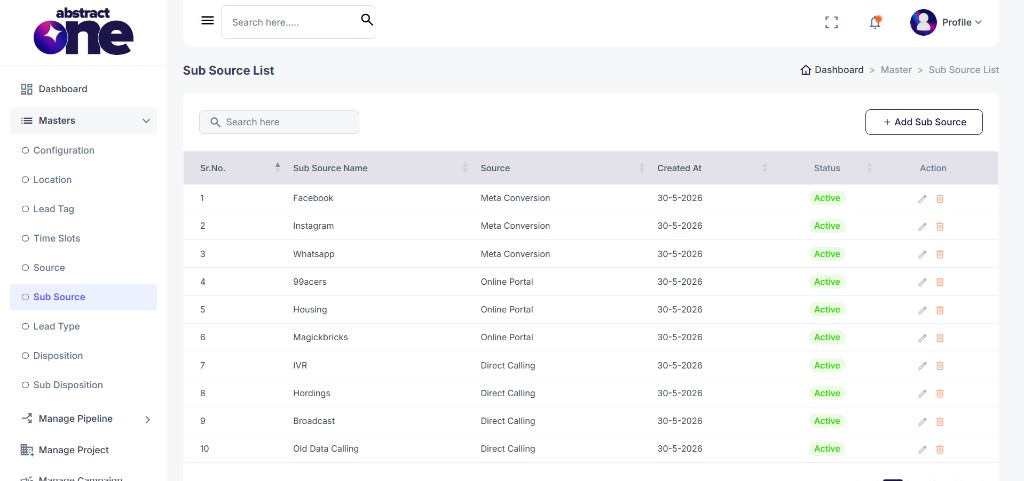
Sub Source in Abstract ONE represents the detailed channel under a main lead source. For example, if the source is Meta Conversion, its sub sources can be Facebook and Instagram. This helps track lead origin in more detail.
From the Sub Source List, superadmins can:
- View default and custom sub sources
- Add custom sub sources to any source
- Edit custom sub sources
- Move a sub source to another source
- Delete custom sub sources
Default Sub Sources
The CRM includes default sub sources linked to default sources. These cannot be edited or deleted.
Examples:
| Source | Sub Source |
|---|---|
| Meta Conversion | Facebook, Instagram, Whatsapp |
| Online Portal | 99acers, Housing, Magickbricks |
| Direct Calling | IVR, Hordings, Broadcast, Old Data Calling |
Access Sub Source List
Go to:
Sidebar → Masters → Sub Source
Case 1: Add a Sub Source
To add a sub source under a source:
Step 1 — Open Add Sub Source
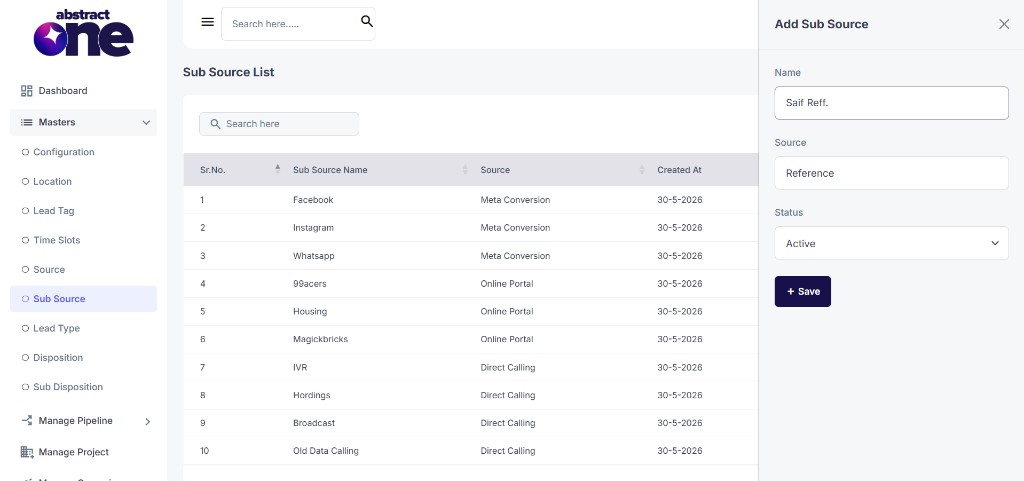
Click + Add Sub Source on the top right. The Add Sub Source drawer opens.
Step 2 — Fill and Save
Enter Name, select the parent Source, set Status as Active, then click + Save.
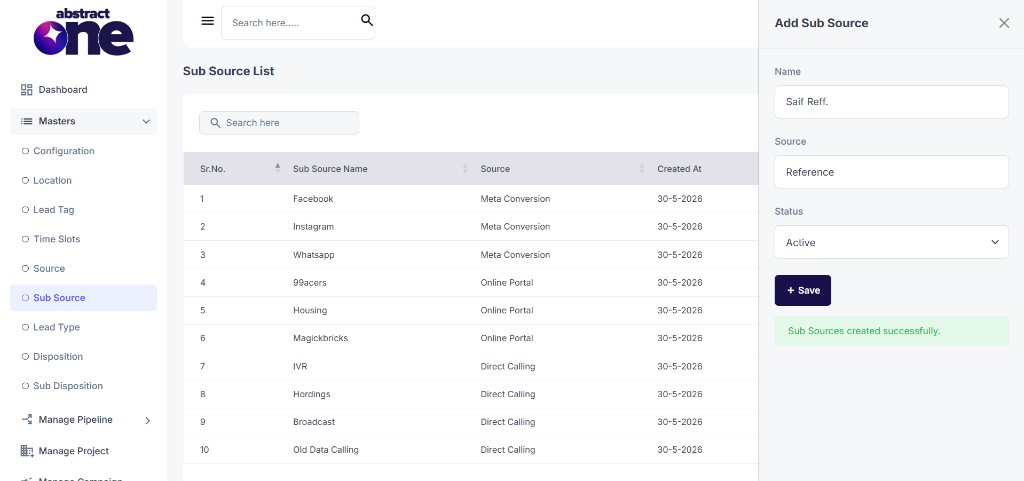
On success, the system displays:
Sub Sources created successfully.
If the same sub source name already exists under that source, the system displays:
The name has already been taken.
The same sub source name can be used under different sources, but not twice under the same source.
Case 2: Edit a Sub Source
Default sub sources cannot be edited. For custom sub sources only:
Step 1 — Open Edit
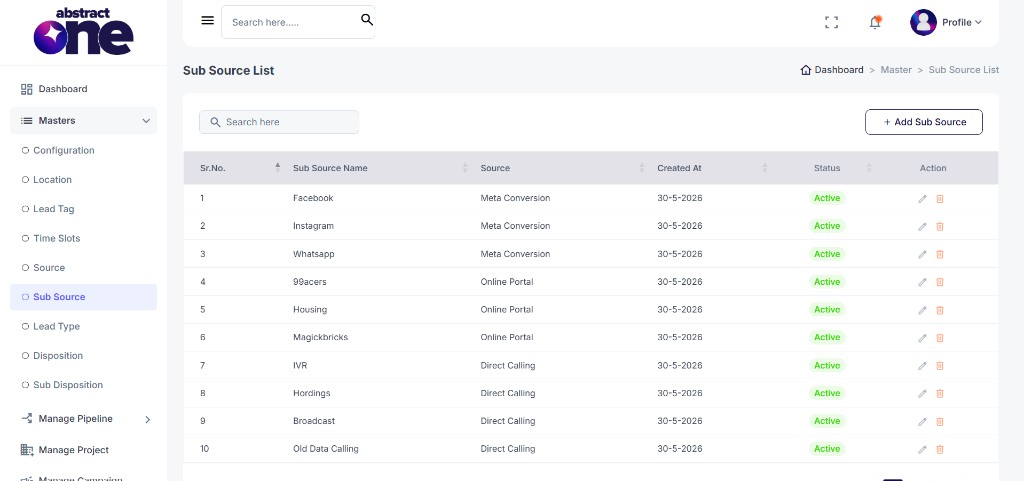
Click the Edit (pencil) icon in the Action column.
Step 2 — Update and Save
Update the sub source Name, change the parent Source to move it to another source, or update Status, then click + Save.
Case 3: Delete a Sub Source
Default sub sources cannot be deleted. For custom sub sources only:
Step 1 — Click Delete
Click the Delete (trash) icon in the Action column.
Step 2 — Confirm Deletion
Click YES on the confirmation dialog.
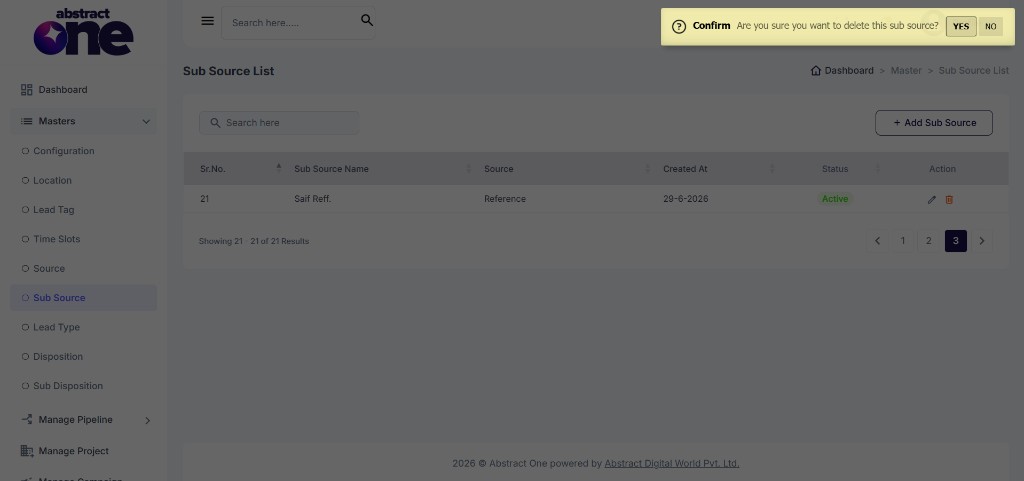
When a sub source is deleted, all leads linked to that sub source are automatically deleted from the system.
Important Notes
- Default sub sources are system-managed and cannot be edited or deleted.
- Every source must have at least one active sub source to appear in the CRM. See Customize Lead Source.
- Sub source names must be unique within the same source, but can repeat across different sources.
- Deleting a sub source permanently removes all related leads from the system.