

Bulk Action
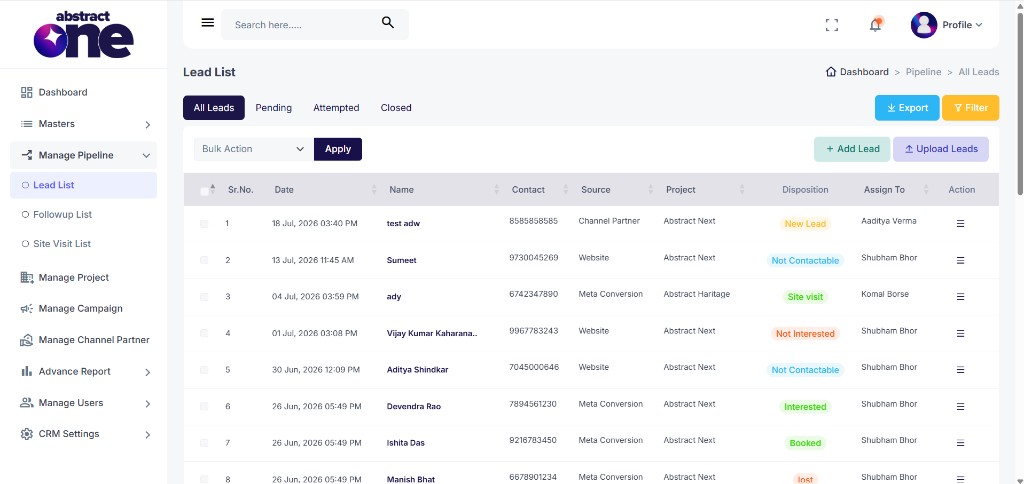
The Bulk Action feature on the Lead List page allows you to perform actions on multiple leads at once. Instead of updating leads one by one, you can select multiple leads using checkboxes and apply an action in a single step.
Available bulk actions:
- Assign To — Reassign selected leads to a different executive
- Delete Permanently — Permanently remove selected leads from the system
Access Bulk Actions
Go to:
Sidebar → Manage Pipeline → Lead List
The Bulk Action dropdown is located at the top left of the lead table, next to the Apply button.
Assign Leads
Use this option to reassign one or more leads to a different executive.
Step 1: Select Leads
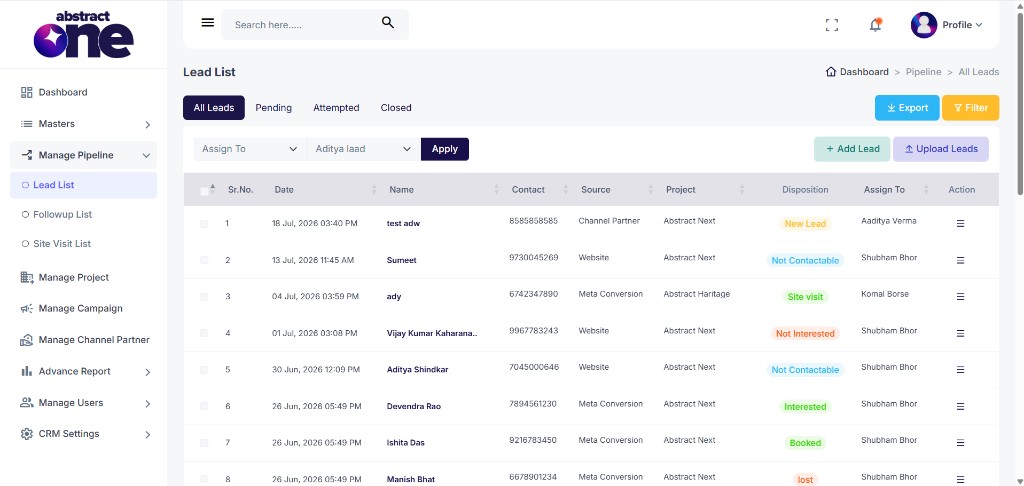
Check the checkbox next to each lead you want to assign. You can also use the header checkbox to select all leads on the current page.
Step 2: Choose Assign To
From the Bulk Action dropdown, select Assign To. A second dropdown appears where you can choose the executive to assign the leads to.
Step 3: Apply and Confirm
Click Apply. A confirmation prompt appears asking:
“Confirm — Assign selected leads to selected executive?”
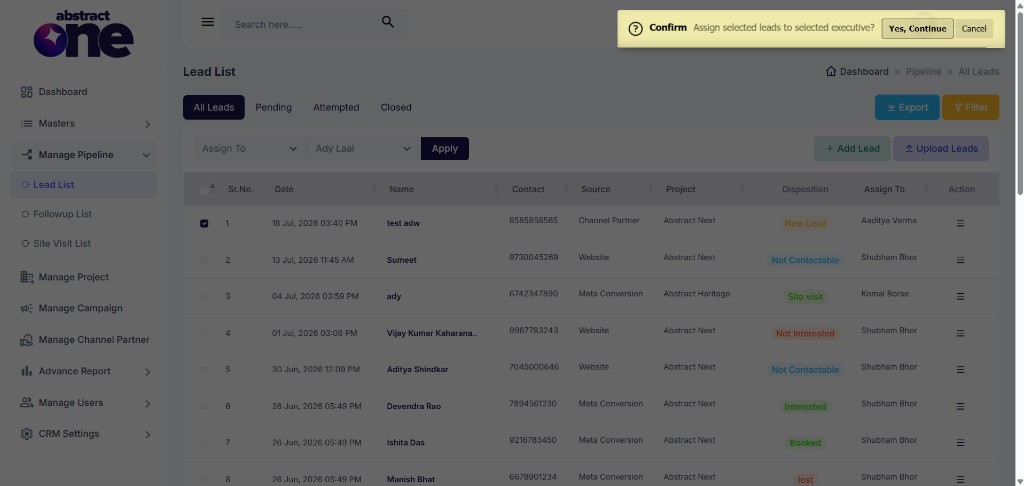
Click Yes, Continue to proceed, or Cancel to abort.
Step 4: Success
Once confirmed, the selected leads are assigned to the chosen executive. A success message appears:
“Success: Leads assigned successfully”
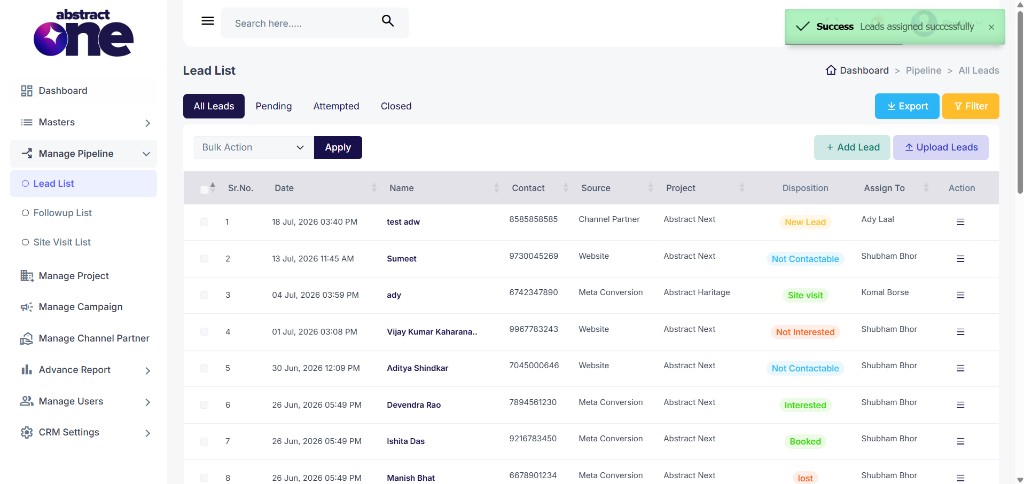
The Assign To column in the table updates to reflect the new executive for each selected lead.
Delete Leads
Use this option to permanently remove one or more leads from the system.
Step 1: Select Leads
Check the checkbox next to each lead you want to delete.
Step 2: Choose Delete Permanently
From the Bulk Action dropdown, select Delete Permanently.
Step 3: Apply and Confirm
Click Apply. A confirmation prompt appears asking:
“Confirm Delete selected leads permanently?”
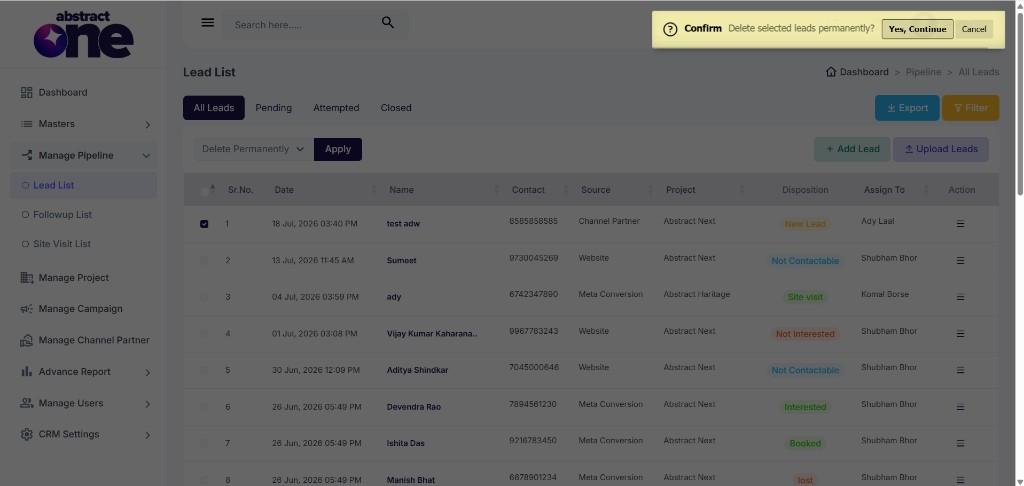
Click Yes, Continue to permanently delete the selected leads, or Cancel to abort.
Step 4: Success
Once confirmed, the selected leads are removed from the system. A success message appears:
“Success: Leads deleted permanently”
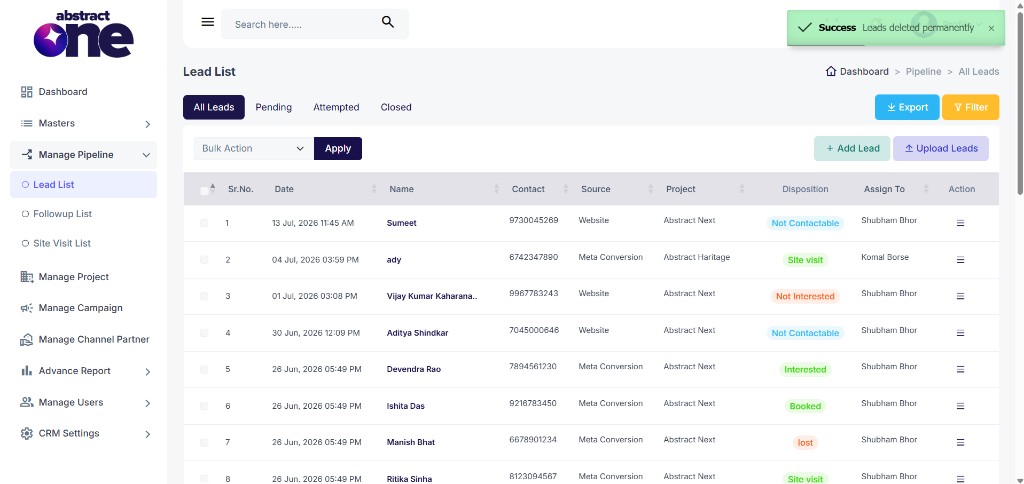
The deleted leads are no longer visible in the Lead List table.
Important Notes
- You must select at least one lead before clicking Apply. If no leads are selected, a warning message appears: “Warning: Please select at least one lead”.
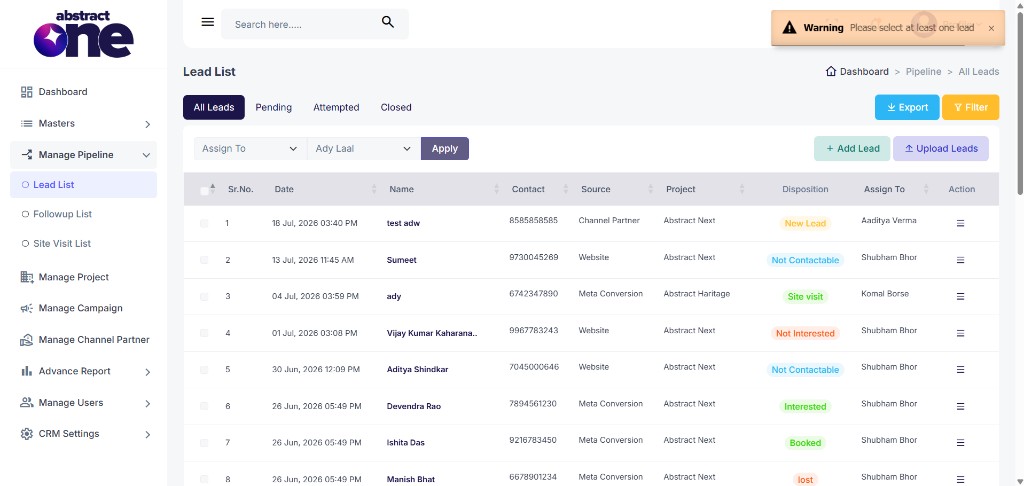
- Delete Permanently cannot be undone. Deleted leads are removed from the system entirely.
- Bulk actions apply only to leads selected on the current page. Use filters or pagination to reach leads on other pages.
- The Assign To action requires selecting an executive from the second dropdown before clicking Apply.
- Both bulk actions require confirmation before execution to prevent accidental changes.