

Customize Lead Source
Lead Source in Abstract ONE helps track where each lead was generated from. The CRM includes a default source list that cannot be edited or deleted. Superadmins can also add custom sources — such as Events — for additional lead tracking.
From the Source List, superadmins can:
- View default and custom sources
- Add custom sources
- Edit custom sources
- Delete custom sources
A source is mandatory on every lead to identify where that lead originated.
Default Source List
These sources are pre-configured in the CRM and linked to system modules. They cannot be edited or deleted:
| Sr.No. | Source Name |
|---|---|
| 1 | Meta Conversion |
| 2 | Online Portal |
| 3 | Channel Partner |
| 4 | Direct Calling |
| 5 | Reference |
| 6 | Website |
| 7 | Walkin |
| 8 | Other |
Access Source List
Go to:
Sidebar → Masters → Source
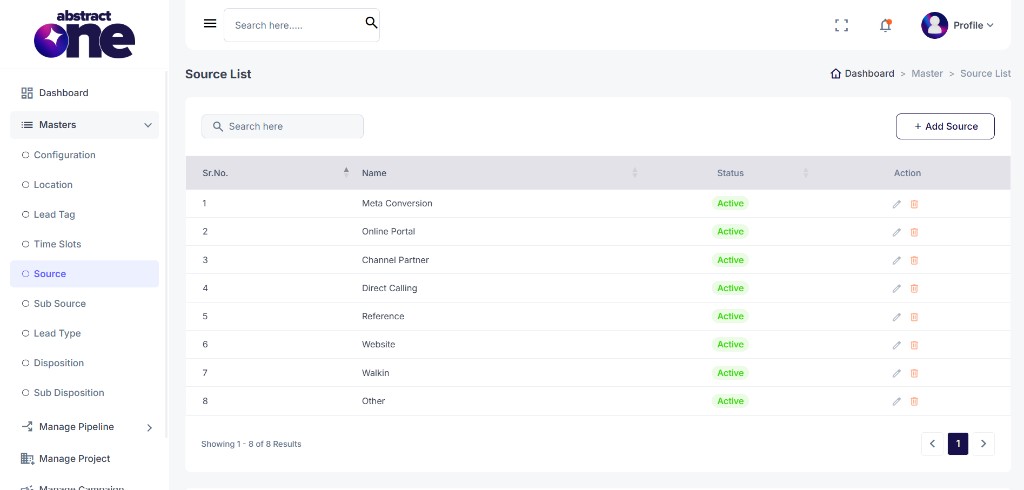
Case 1: Add a Custom Source
To add a new custom source:
Step 1 — Open Add Source
Click + Add Source on the top right. The Add Source drawer opens.
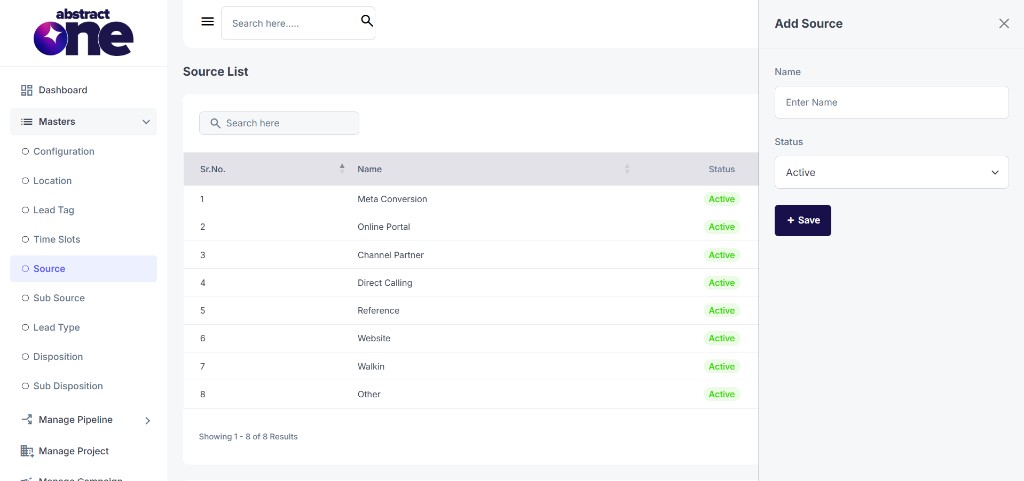
Step 2 — Fill and Save
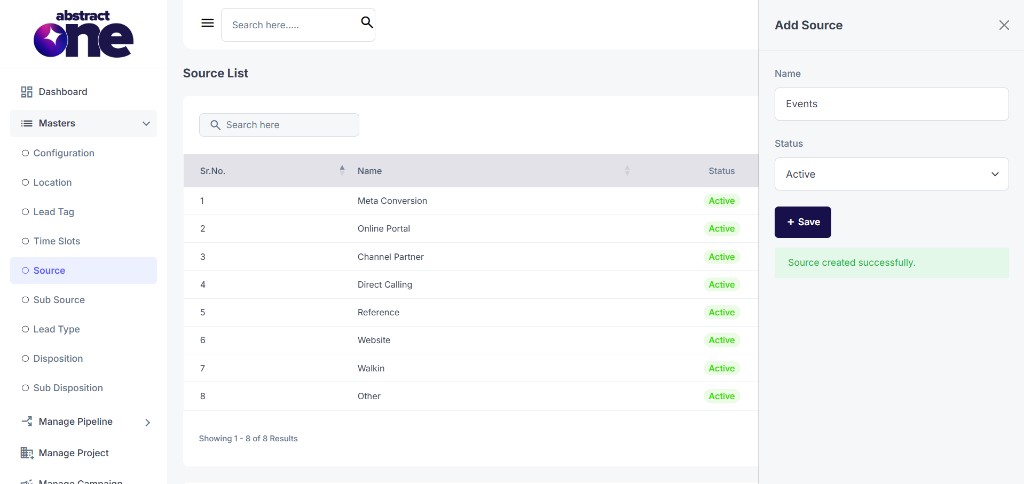
Enter Name, select Status as Active, then click + Save.
On success, the system displays:
Source created successfully.
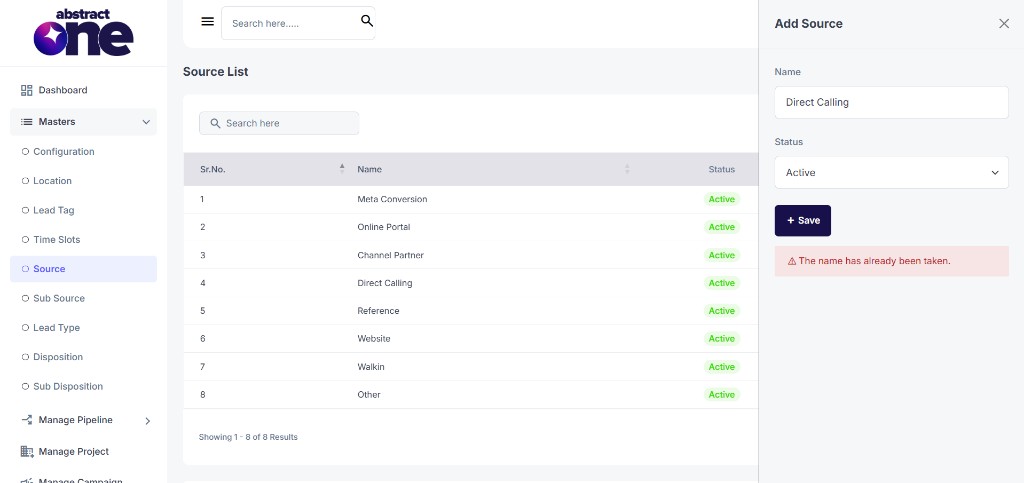
If the name already exists, the system displays:
The name has already been taken.
After Adding a Source
Every custom source requires at least one Sub Source. Without a sub source, the source will not appear anywhere in the CRM — even if it is marked Active.
To add sub sources, refer to Customize Lead Sub Source.
Case 2: Edit a Custom Source
Default sources cannot be edited. For custom sources only:
Step 1 — Open Edit
Click the Edit (pencil) icon in the Action column.
Step 2 — Update and Save
Update Name or Status, then click + Save.
Case 3: Delete a Custom Source
Default sources cannot be deleted. For custom sources only:
Step 1 — Click Delete
Click the Delete (trash) icon in the Action column.
Step 2 — Confirm Deletion
Click YES on the confirmation dialog.
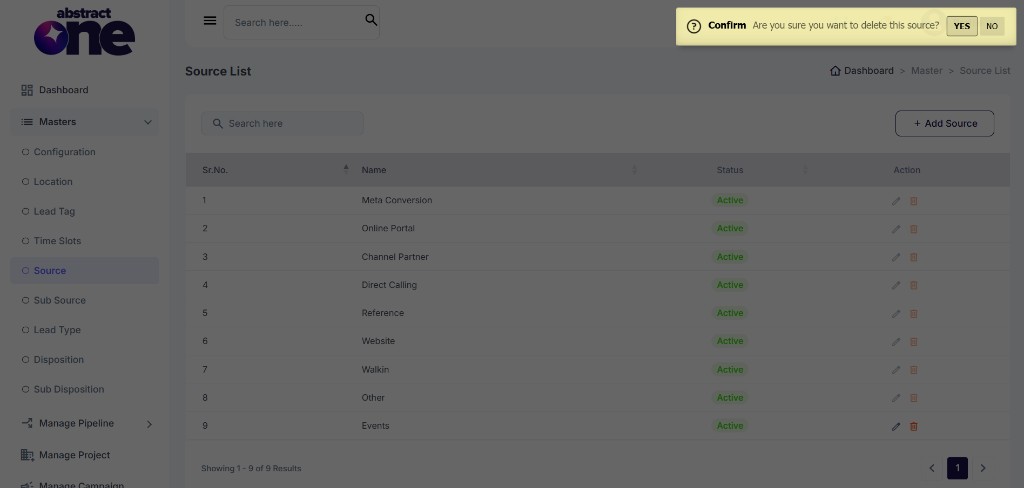
If sub sources still exist under that source, the system displays:
Cannot delete source. Sub-sources exist. Please delete or reassign them first.
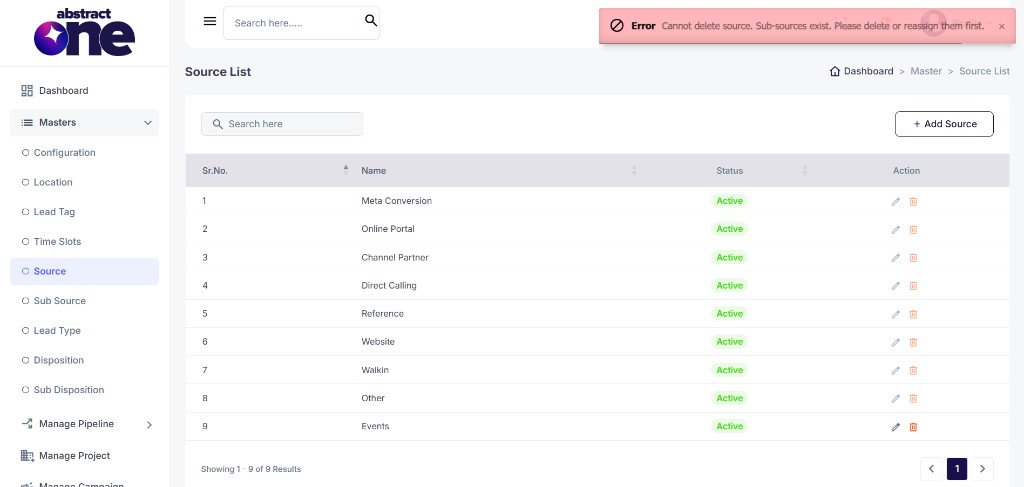
Remove those sub sources first, or move them to another source, then delete the source.
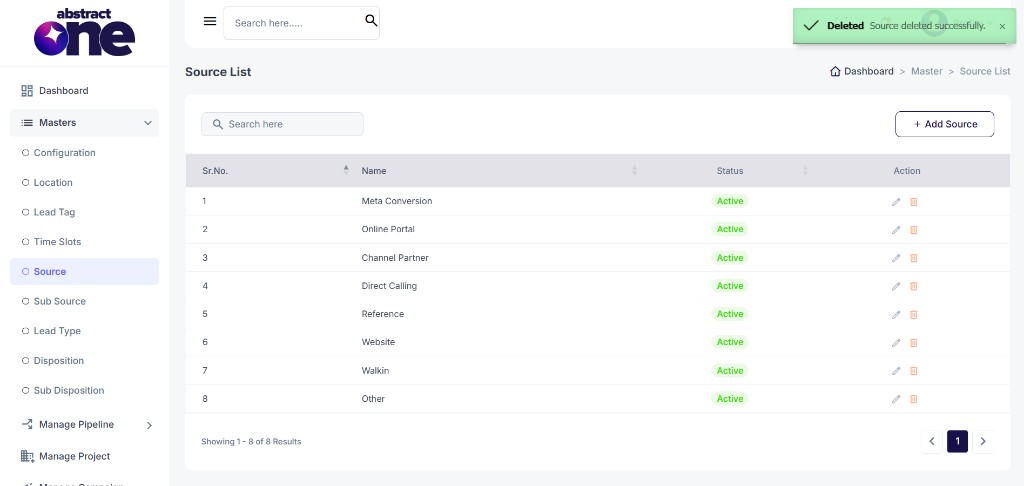
On success, the system displays:
Deleted Source deleted successfully.
Important Notes
- Default sources are system-managed and cannot be edited or deleted.
- Custom sources must be Active and have at least one Sub Source to appear in the CRM.
- To delete a source, remove or reassign its sub sources first.
- Source is mandatory on every lead for tracking where the lead was generated.