

Add Channel Partner
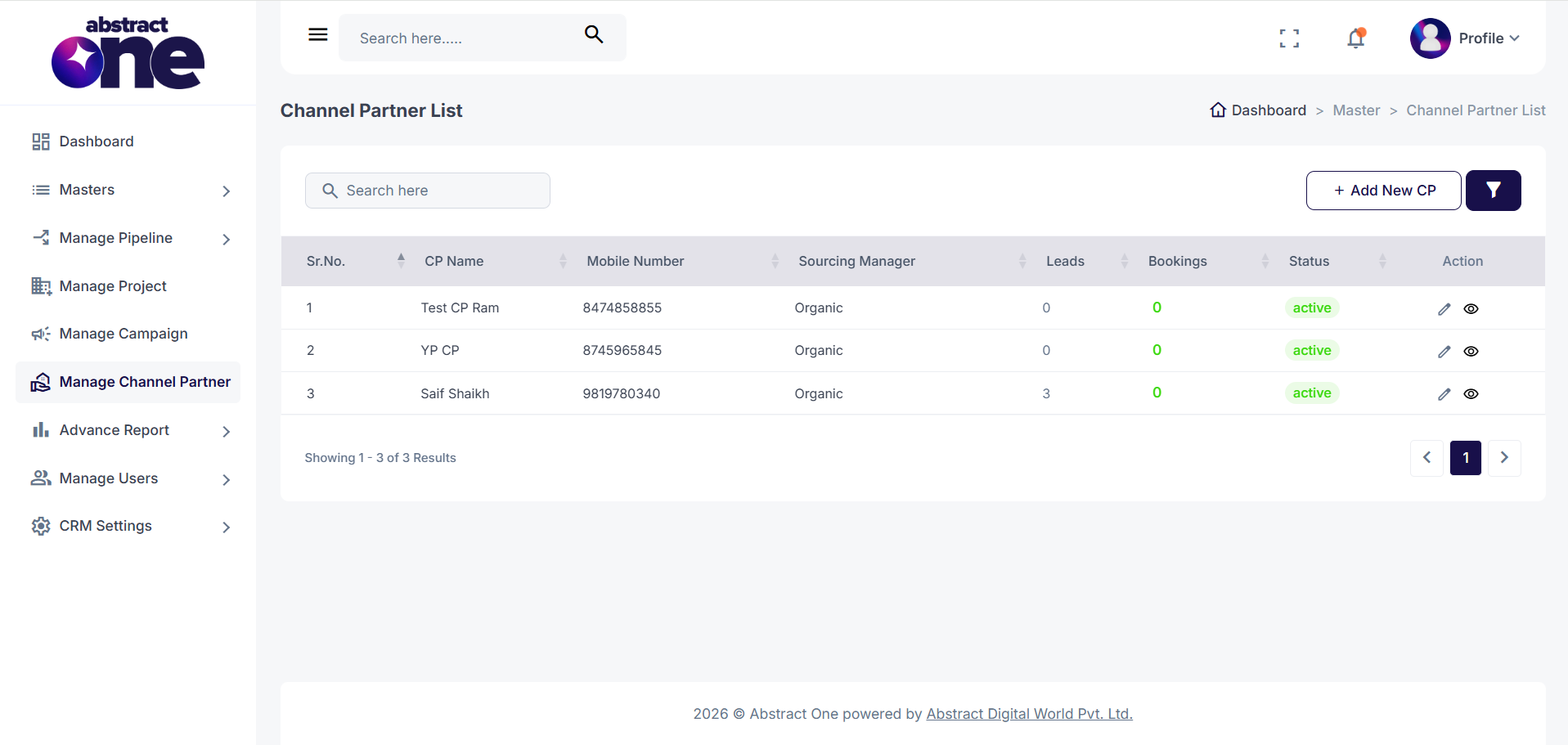
The Channel Partner module allows you to manage all registered channel partners associated with your organization. It helps track partner information, sourcing managers, lead generation, and booking performance from a single location.
Each channel partner is assigned to a Sourcing Manager, enabling better management and performance monitoring.
From the Channel Partner List, you can:
- Add a new Channel Partner.
- View all registered Channel Partners.
- Search and filter Channel Partners.
- Edit Channel Partner information.
- View complete Channel Partner details.
- Monitor the total number of Leads generated.
- Track the total number of Bookings received.
- Manage the Channel Partner's Active or Inactive status.
Only Active Channel Partners are available for lead assignment and other channel partner-related activities within the CRM.
Access Add Channel Partner
Go to:
Sidebar → Manage Channel Partner
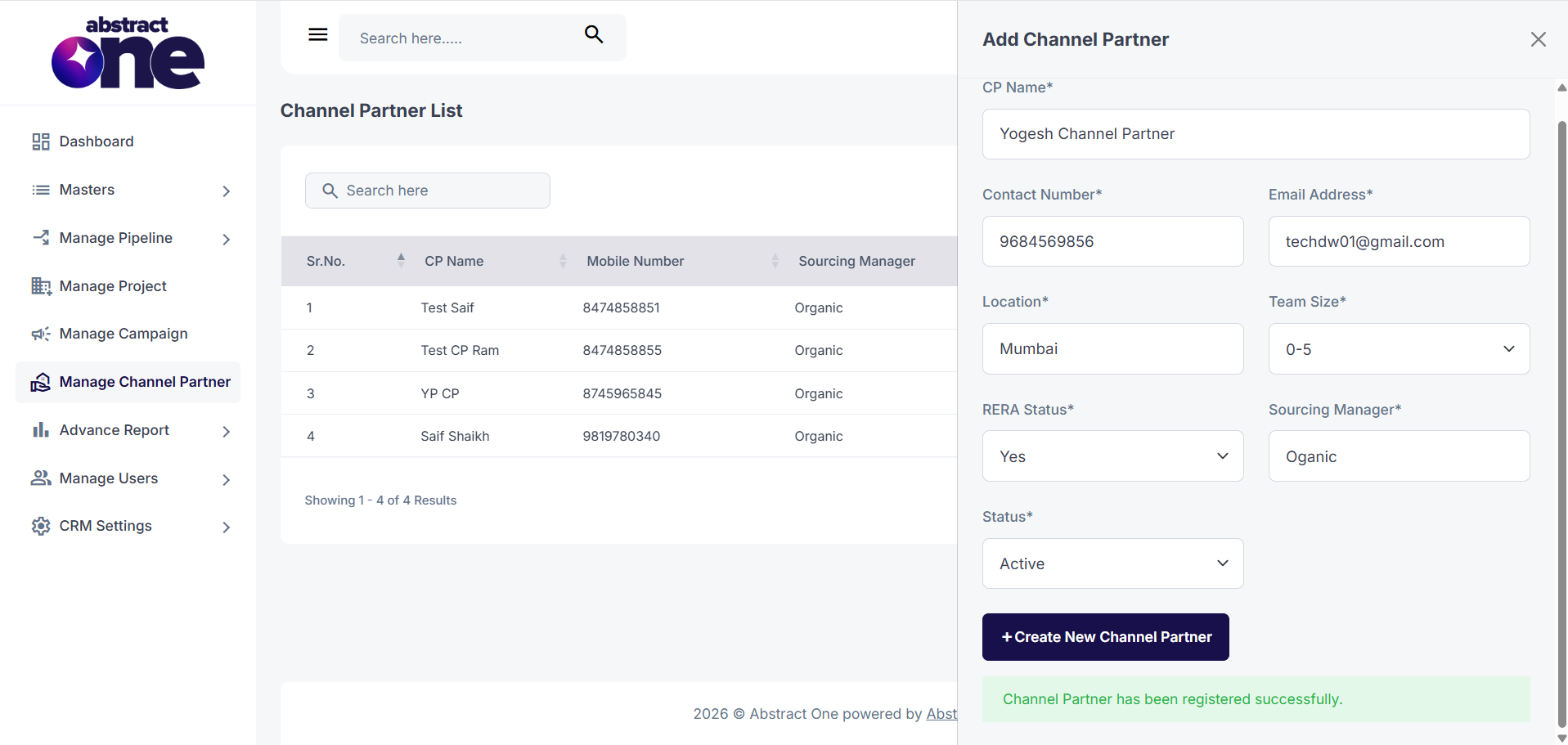
On the Channel Partner List, click + Add New CP on the top right. The Add Channel Partner drawer opens.
Case 1: Add a Channel Partner
To add new channel partner:
Step 1 — Open Add Channel Partner
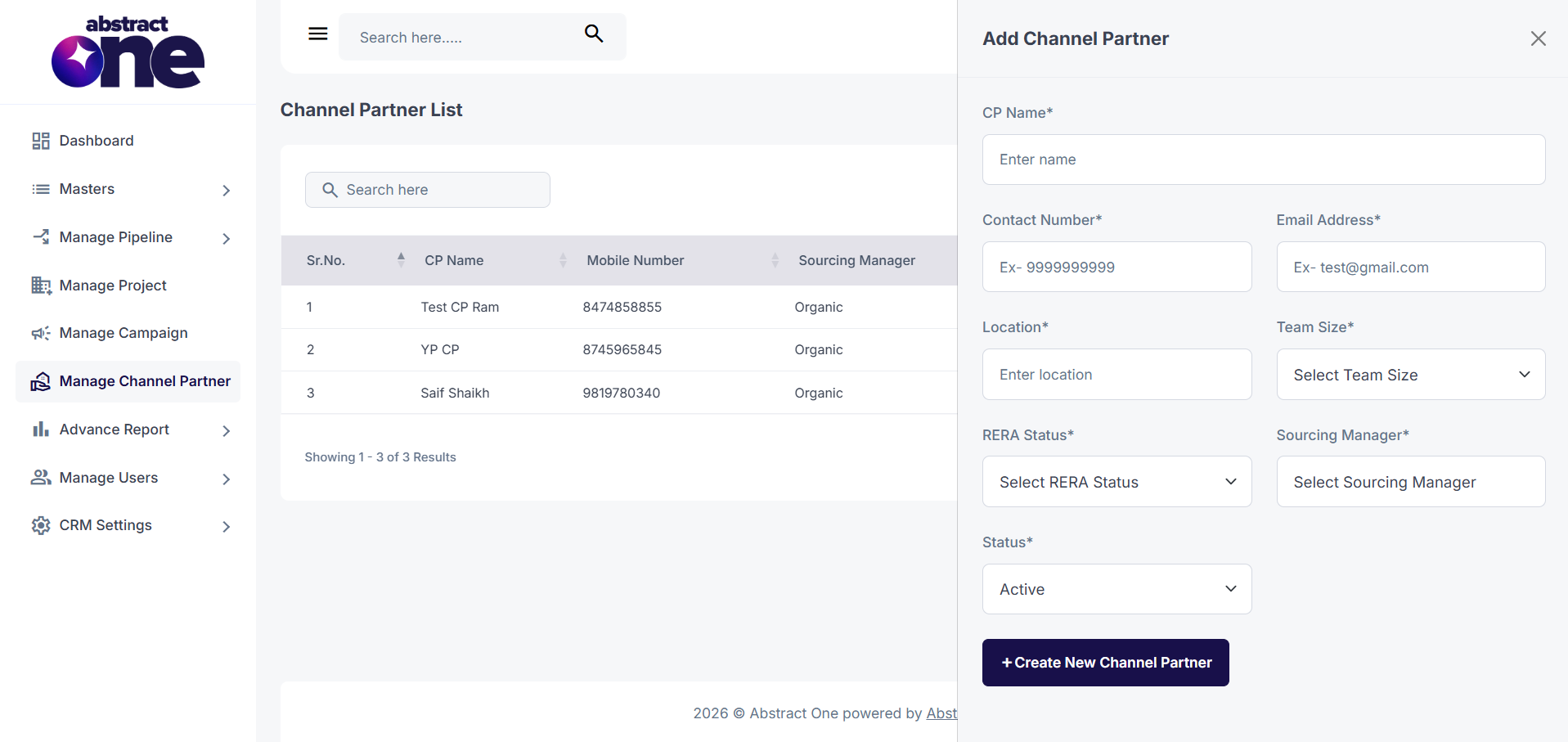
Click + Add Channel Partner. The Add Channel Partner drawer opens on the right side.
Step 2 — Fill and Save
Enter the channel partner details and click + Save.
| Field | Required | Description |
| CP Name | Yes | Enter channel partners name. |
| Contact Number | Yes | Enter channel partners contact number |
| Email Address | Yes | Enter email address. |
| Location | Yes | Enter partner's location. |
| Team Size | Yes | Select the team size. |
| Rera Status | Yes | Select Yes or No. |
| Sourcing Manager | Yes | Select the assigned sourcing manager. |
| Status | Yes | Set as Active or Inactive |
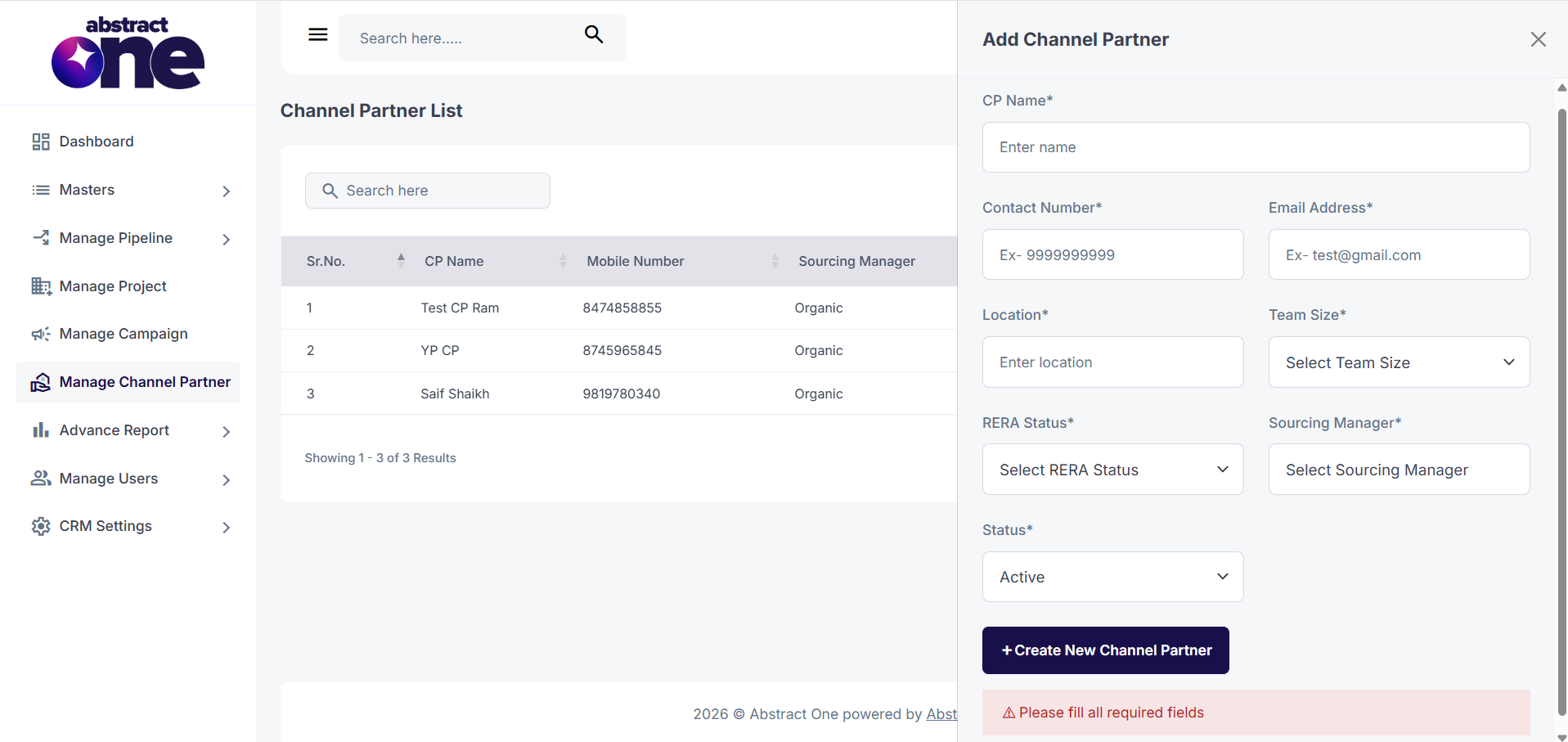
If any required field is left empty, the system displays:
Please fill all fields.
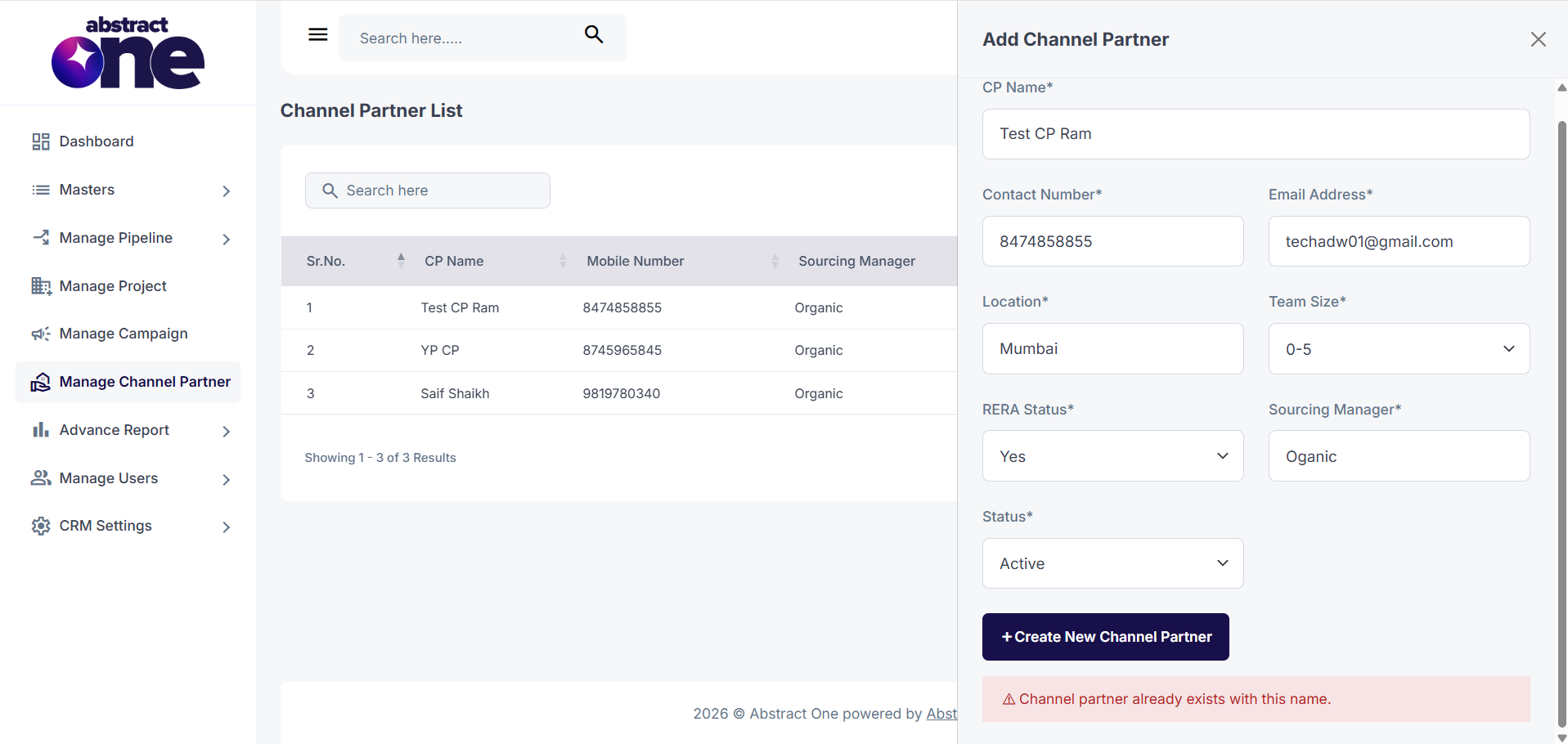
If the name or contact number already exists in the system, the system displays:
Contact number or Channel Partner name already exist.
On success, the system displays:
Channel Partner has been registered successfully.
Important Notes
- All fields marked with (*) are mandatory.
- Contact Number and Channel Partners Name must be unique.
- Only an Active Sourcing Manager can be assigned.
- Select the appropriate Team Size and RERA Status before saving.
- Only Active Channel Partners can participate in CRM activities.
- Changes take effect immediately after saving the record.