

Add Campaign
Campaigns in Abstract ONE allow you to manage project leads campaign-wise. Each campaign is linked to a specific project, so you can track which marketing effort generated each lead.
When adding a lead in the system, selecting both Project and Campaign is mandatory. This ensures proper lead tracking and reporting across projects and campaigns.
From the Campaign List, you can:
- Add a new campaign
- Link a campaign to a project
- Set campaign status as Active or Inactive
Only campaigns marked as Active appear when adding a lead.
Access Add Campaign
Go to:
Sidebar → Manage Campaign
On the Campaign List page, click + Add Campaign on the top right. The Add Campaign drawer opens.
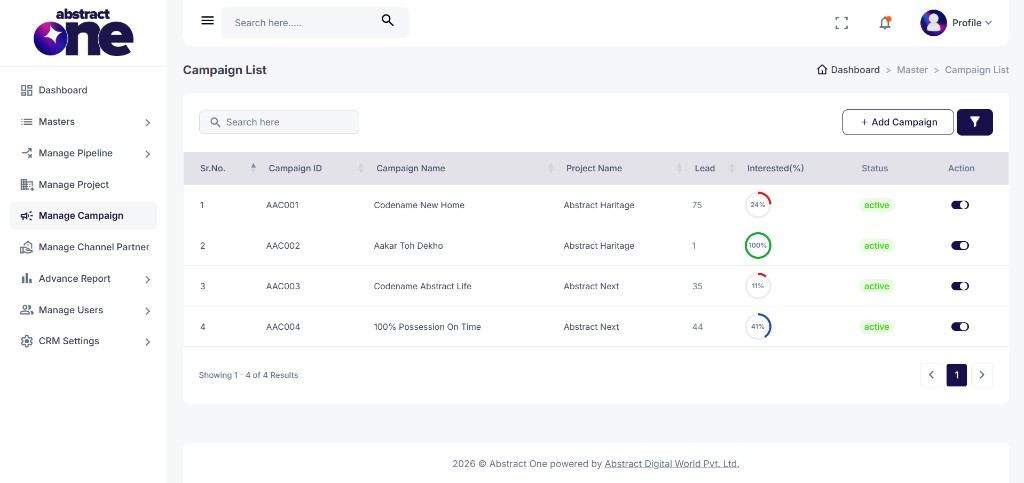
Case 1: Add a Campaign
To create a new campaign:
Step 1 — Open Add Campaign
Click + Add Campaign. The Add Campaign drawer opens on the right side.
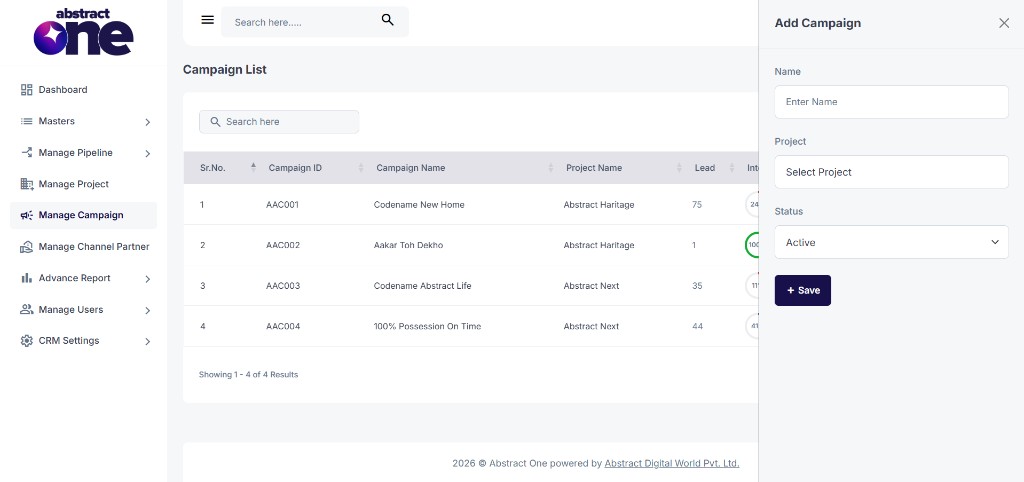
Step 2 — Fill and Save
Enter the campaign details and click + Save.
| Field | Required | Description |
|---|---|---|
| Name | Yes | Campaign name (e.g. Codename New Home, 100% Possession On Time) |
| Project | Yes | Select the project this campaign belongs to |
| Status | Yes | Set as Active or Inactive |
On success, the system displays:
Campaign has been created successfully.
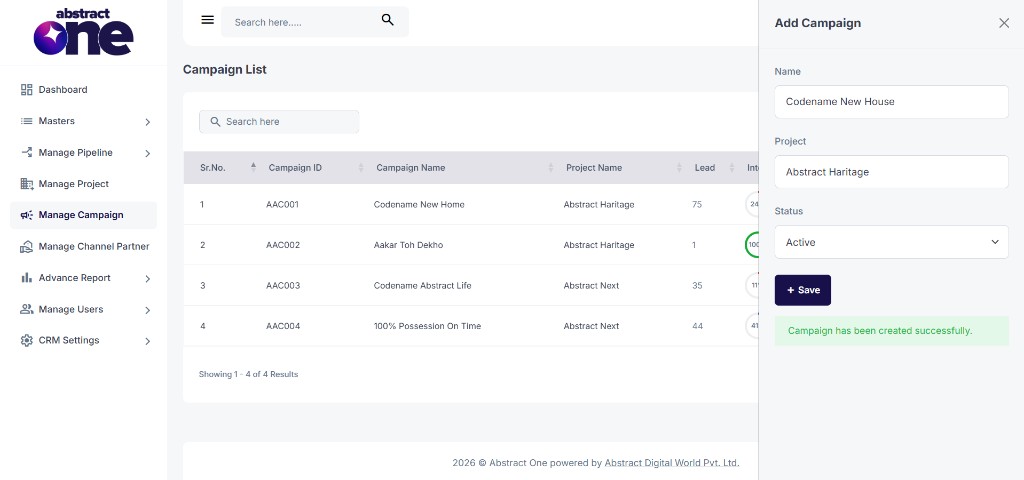
The new campaign appears in the Campaign List with a unique Campaign ID (e.g. AAC001).
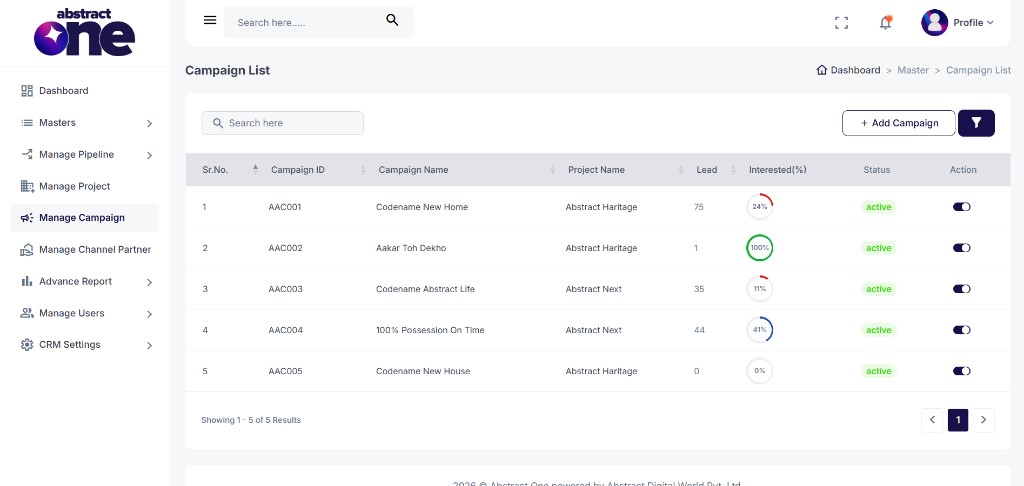
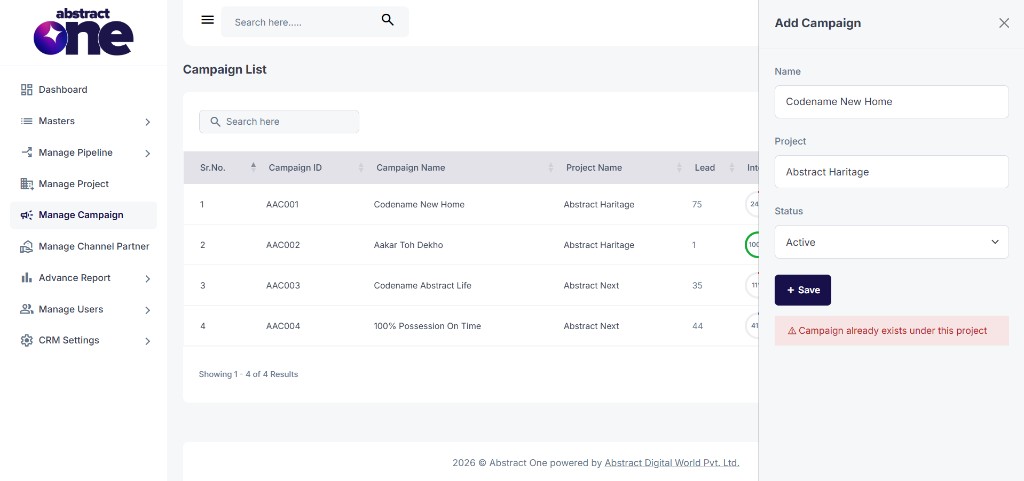
If a campaign with the same name already exists under the selected project, the system displays:
Campaign already exists under this project.
Where Campaigns Are Used
Campaigns appear in the Campaign dropdown when adding a new lead. The team member must select both the project and the campaign to assign the lead correctly.
Active campaigns for a project also appear on the Project View page under Running Campaigns, showing the campaign name and lead count.
Important Notes
- Every campaign must be linked to a project.
- Campaign names must be unique within the same project. The same name can be used under different projects.
- Only Active campaigns appear when adding a lead.
- Project and Campaign are both mandatory when adding a lead in the CRM.
- Each campaign gets a unique Campaign ID automatically after creation.