

Customize Project Configuration
Project Configuration in Abstract ONE allows superadmins to manage unit types for real estate projects — such as 1 BHK, 2 BHK, or 3 BHK. These values are selected while creating or editing a project.
From the Configuration List, superadmins can:
- Add new configurations
- Edit existing configurations
- Delete configurations
Only configurations marked as Active appear in the project form.
Access Configuration List
Go to:
Sidebar → Masters → Configuration
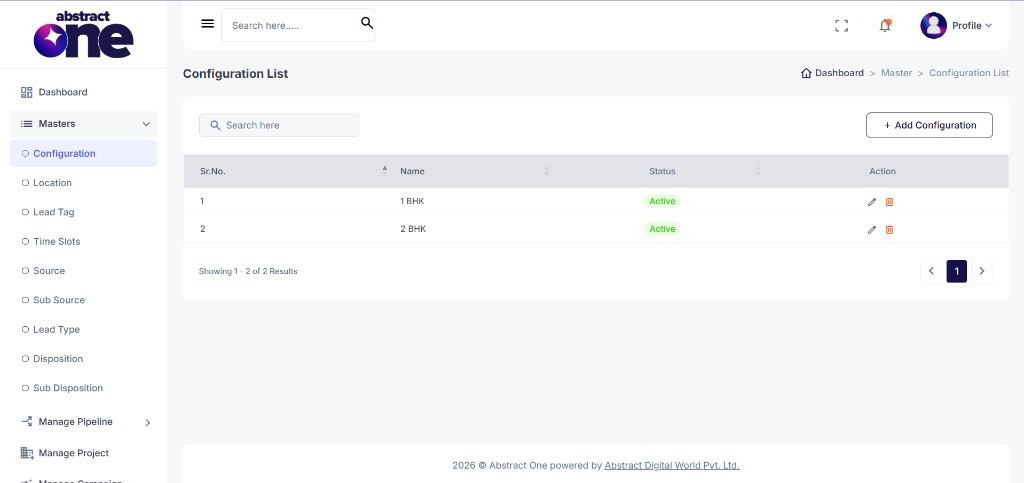
Case 1: Add a New Configuration
To add a new configuration:
Step 1 — Open Add Configuration
Click + Add Configuration on the top right. The Add Configuration drawer opens.
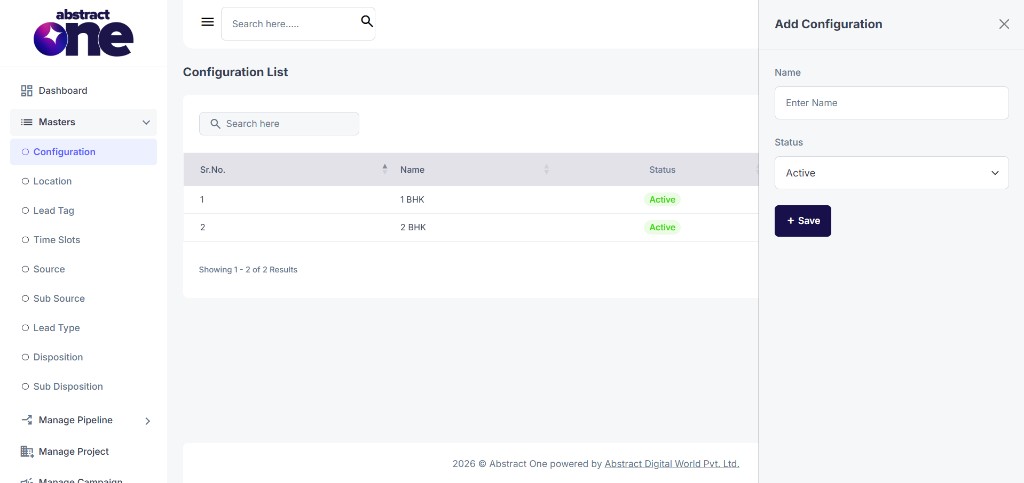
Step 2 — Fill and Save
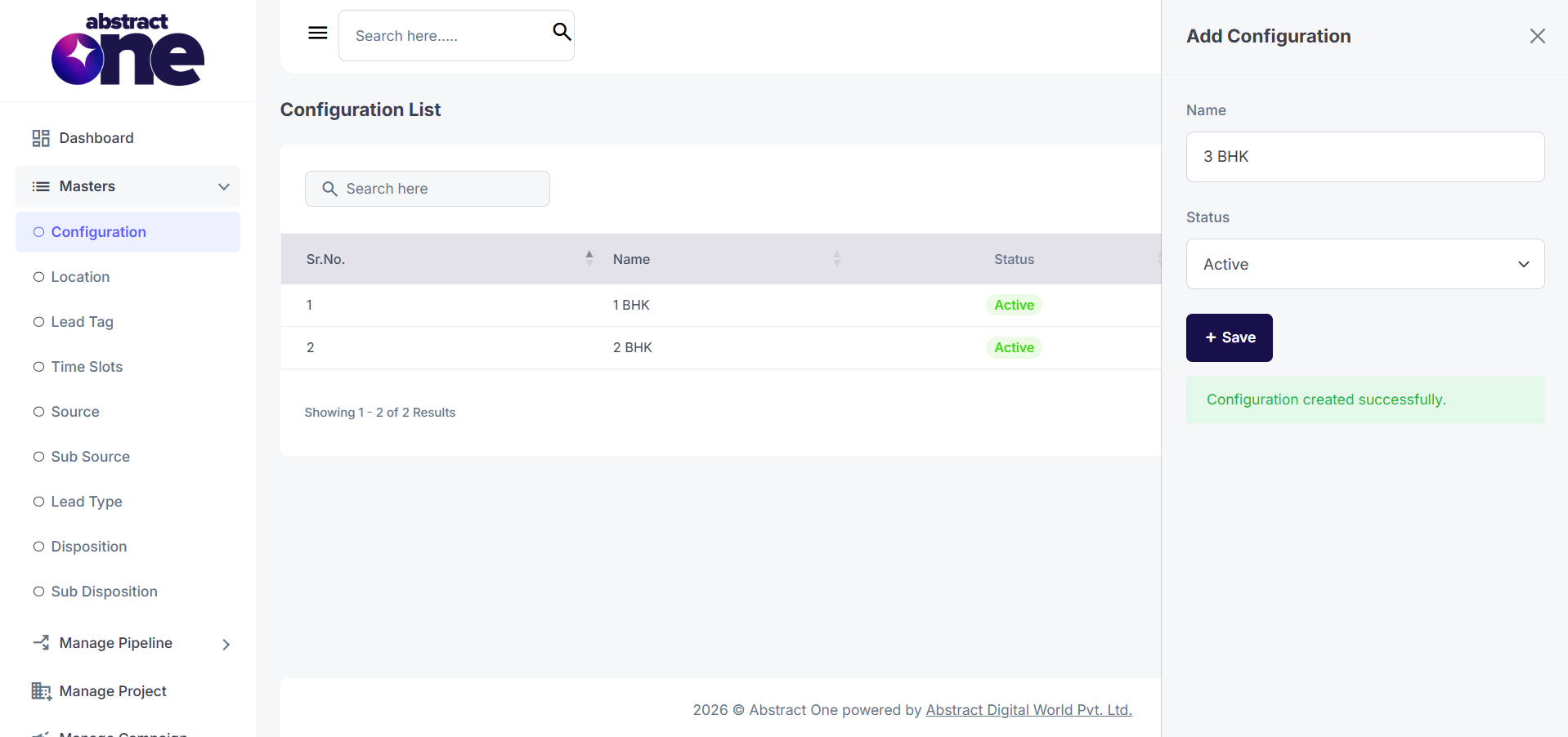
Enter Name and select Status, then click + Save.
On success, the system displays:
Configuration created successfully.
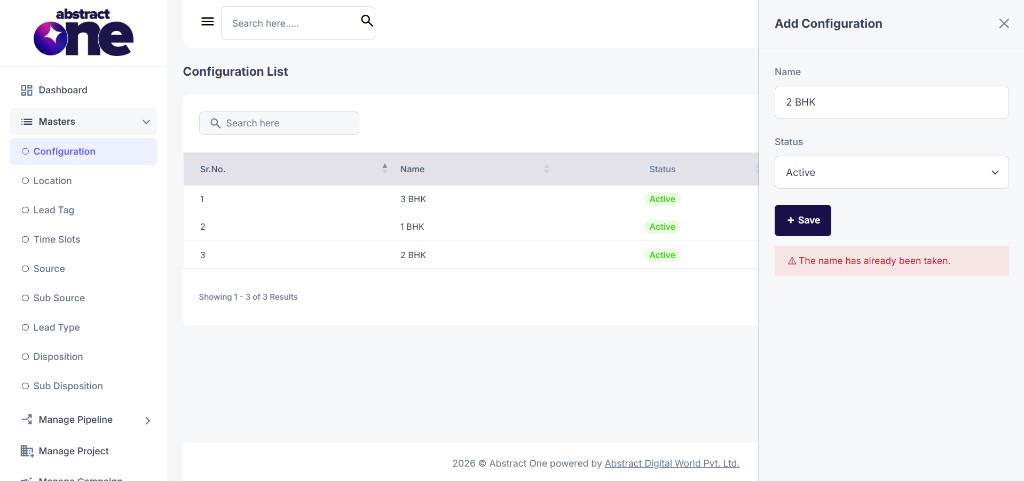
If the name already exists, the system displays:
The name has already been taken.
Case 2: Edit a Configuration
To update an existing configuration:
Step 1 — Open Edit
Click the Edit (pencil) icon in the Action column. The Edit Configuration drawer opens with pre-filled values.
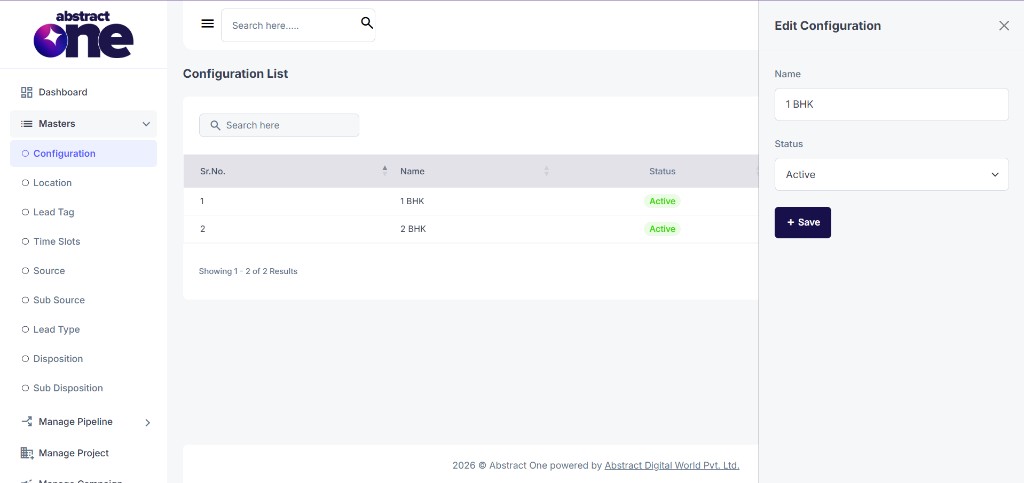
Step 2 — Update and Save
Update the Name or Status and click + Save.
Case 3: Delete a Configuration
To remove a configuration from the system:
Step 1 — Click Delete
Click the Delete (trash) icon in the Action column.
Step 2 — Confirm Deletion
Click YES on the confirmation dialog.
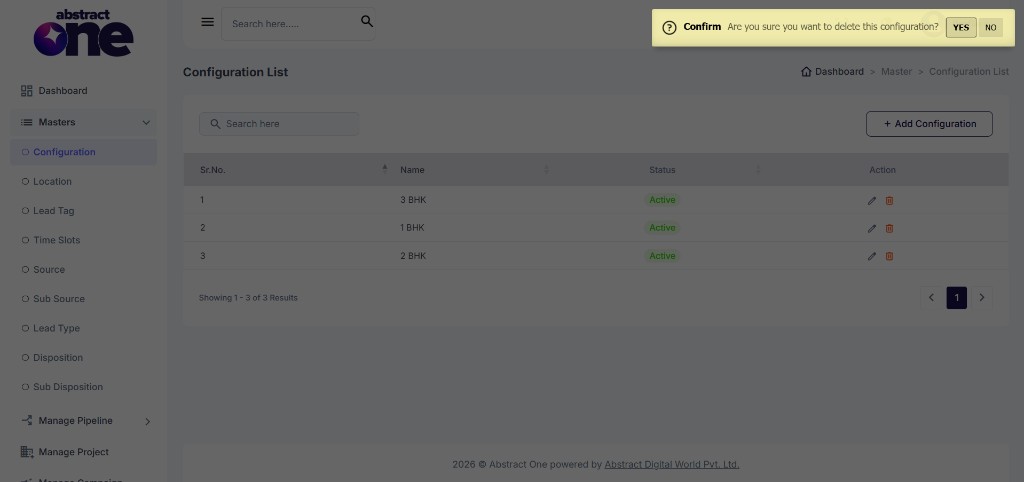
The configuration is removed from the list and from any project where it was assigned.
Where Configuration Values Appear
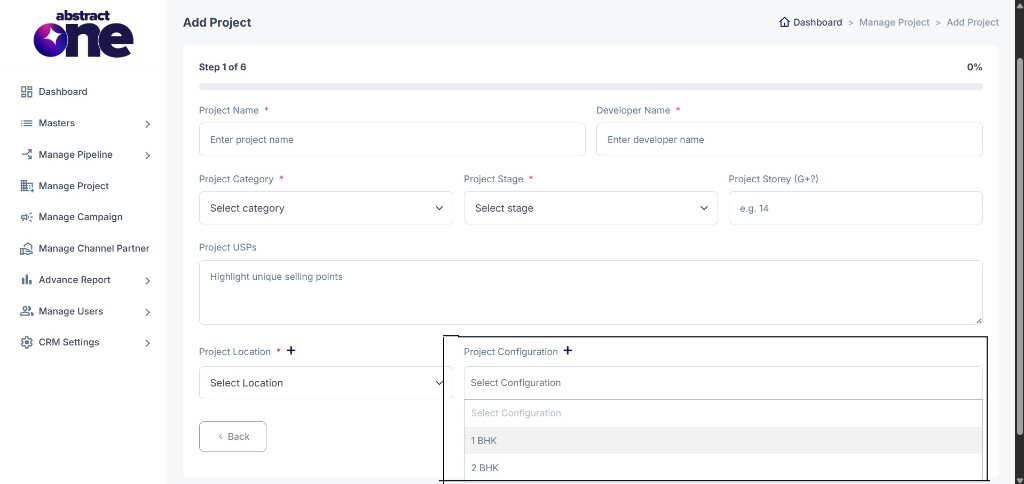
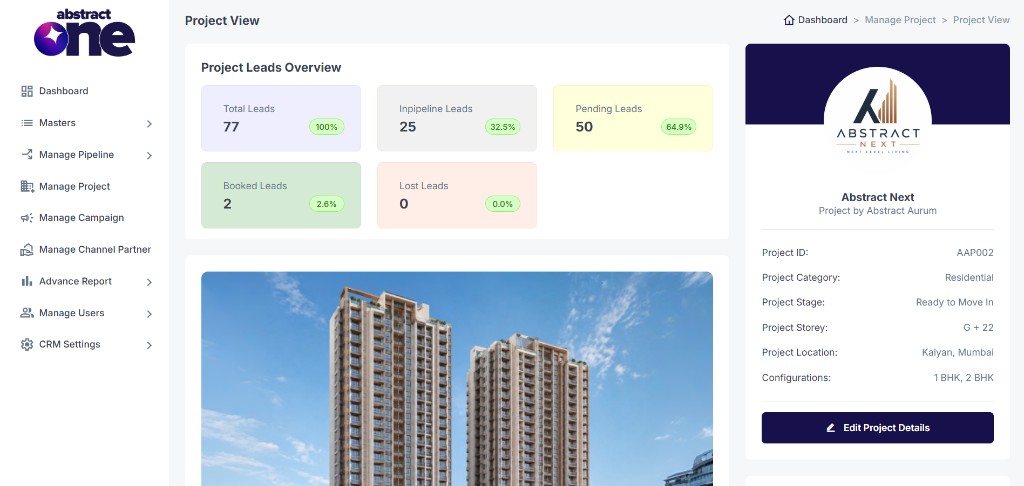
Configurations from this list appear in the Project Configuration field while adding or editing a project, on the Project List cards, and on the Project View page under Configurations.
Important Notes
- Configuration names must be unique.
- Only Active configurations appear in project forms.
- Deleting a configuration removes it from all assigned projects.