

View All Leads
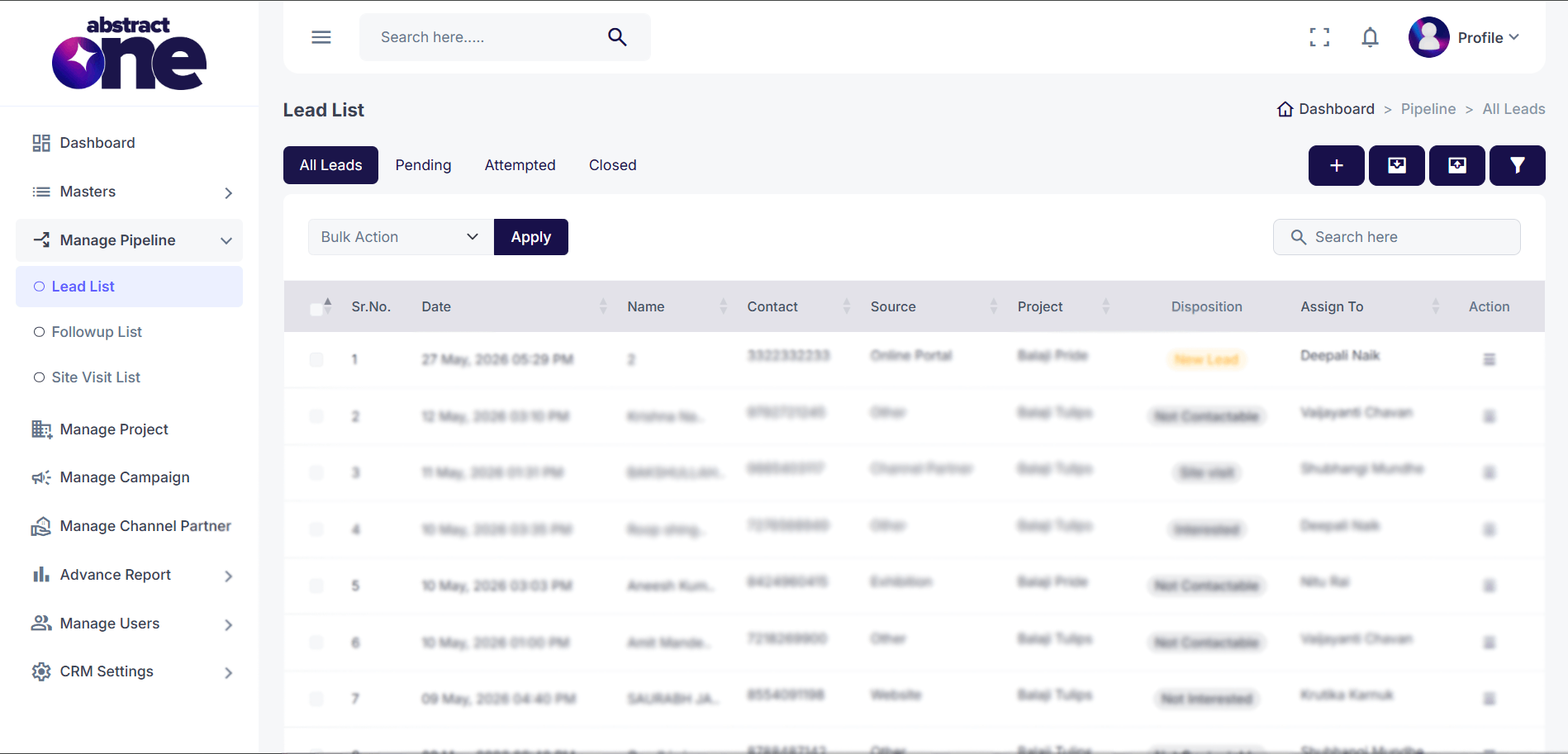
The View All Leads page in Abstract ONE allows users to view, manage, search, and track all leads available in the sales pipeline from a centralized location.
Users can monitor lead status, assigned team members, lead sources, projects, and current dispositions directly from the lead listing table.
Access URL:
https://app.abstractone.in/client/lead
Navigation Path In Panel:
Sidebar → Manage Pipeline → Lead List
Available Features
- View all pipeline leads
- Search leads instantly
- Filter leads by status
- View lead disposition
- Check assigned user
- Perform bulk actions
- Access lead-specific actions
- Track lead source and project details
Lead Categories
The Lead List is divided into multiple tabs for quick lead management:
- All Leads: Displays all leads that are assigned to the user or accessible based on user permissions.
- Pending: Shows newly generated leads or leads where no follow-up activity has been performed yet.
- Attempted: Displays leads where follow-up activities are currently ongoing.
- Closed: Shows leads that have been closed with final remarks such as: Booked or Lost
These tabs help users organize, manage, and track leads based on their current pipeline stage.
Lead Table Information
The lead listing table displays important lead information such as:
- Lead Date
- Customer Name
- Contact Number
- Lead Source
- Associated Project
- Current Disposition
- Assigned User
Bulk Actions
Users can select multiple leads and perform bulk operations using the Bulk Action dropdown.
Like Delete Permanently, Assign Leads
Important Notes
- Newly added leads automatically appear in the Lead List
- Lead statuses update dynamically based on follow-up activities
- Users can access detailed lead actions from the Action menu
- The page acts as the primary lead management dashboard inside the pipeline module