

How to Add Remark
The Add Remark feature in Abstract ONE helps users update lead conversation outcomes after completing a call or discussion with the customer.
This action is important for:
- Tracking lead status
- Recording customer interest
- Updating pipeline progress
- Maintaining follow-up history
- Helping teams understand lead behavior in real time
Adding remarks after every lead interaction helps keep the pipeline updated and organized.
Entry Points
Users can access the Take Action drawer from multiple locations:
Option 1 — From Lead List Page
Go to the Lead List page and:
- Open the lead action menu
- Click on Take Action
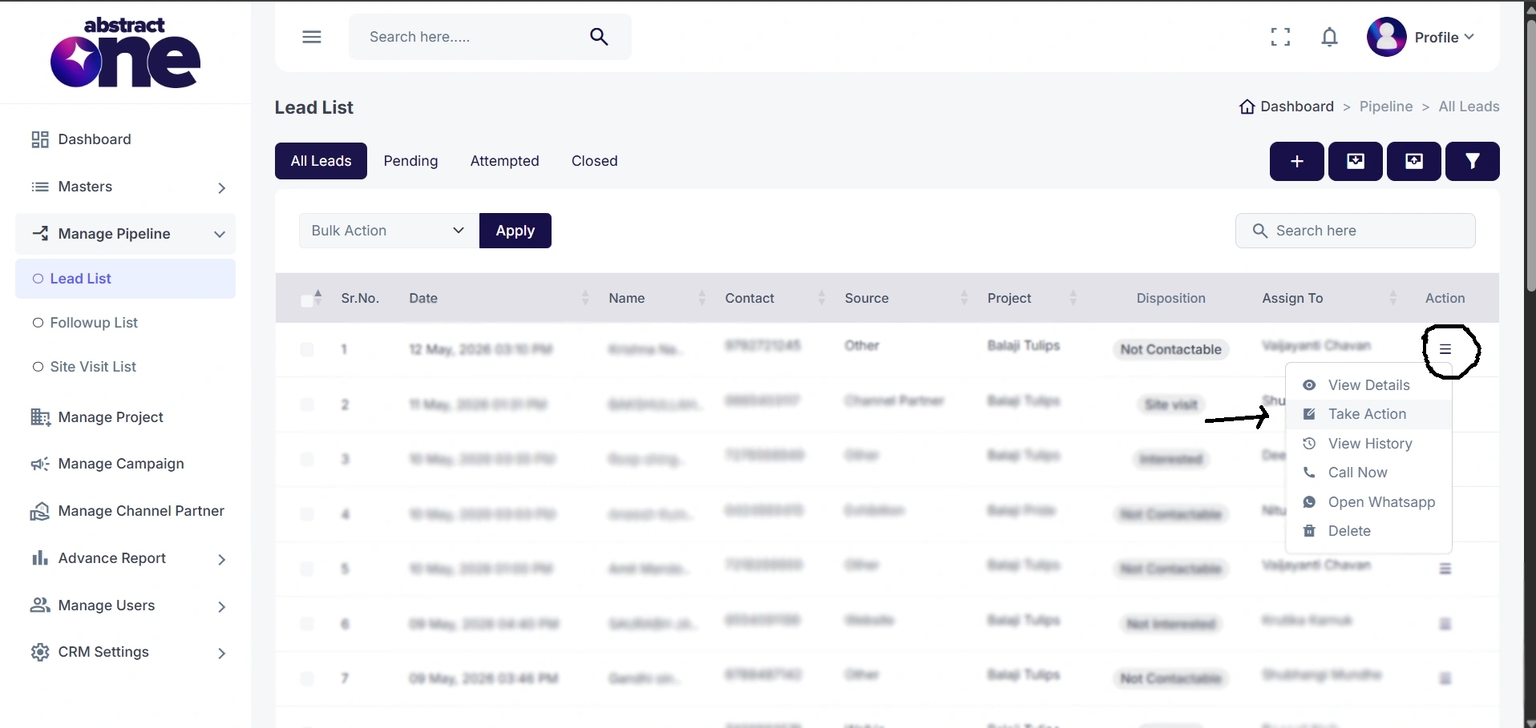
Option 2 — From Lead Details Page
Open the lead details page and click the:
Take Action
CTA button.
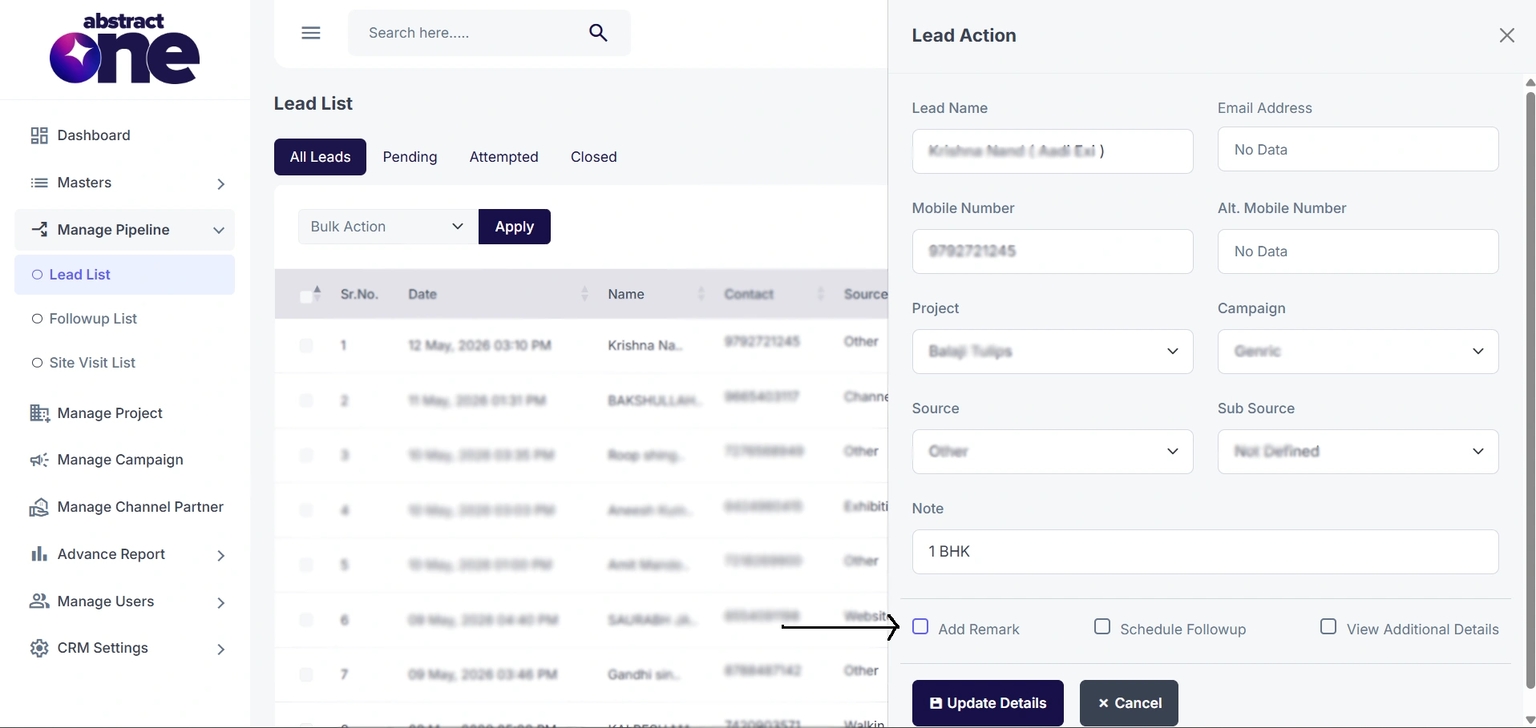
Step 1 — Open Take Action Drawer
After clicking Take Action, a side drawer opens containing:
- Lead information
- Lead activity options
- Follow-up actions
Inside the drawer, users will see 3 checkbox options:
- Add Remark (Need to select)
- Schedule Followup
- View Additional Details
Step 2 — Enable Add Remark
To add a call remark:
- Select the Add Remark checkbox
- The Add Remark section becomes visible and active
Users can now update lead behavior and conversation details.
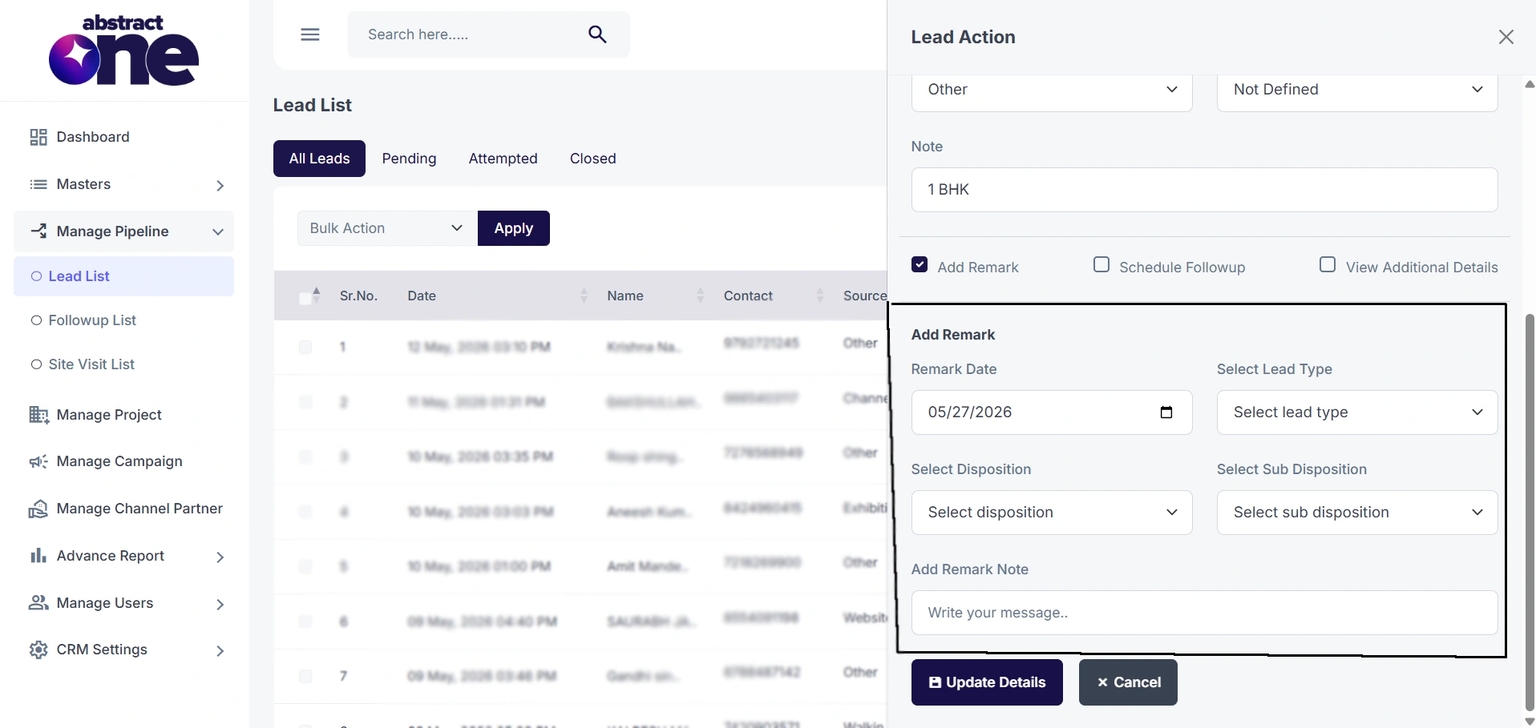
Step 3 — Fill Add Remark Details
Users must fill the remark details based on the lead conversation outcome.
Available fields:
| Field | Purpose |
|---|---|
| Remark Date | Date of interaction |
| Select Lead Type | Lead priority/category |
| Select Disposition | Main lead status |
| Select Sub Disposition | Detailed lead behavior |
| Add Remark Note | Conversation notes |
Example Scenario:
If the customer is interested and ready to purchase:
- Lead Type → Hot
- Disposition → Interested
- Sub Disposition → Interested to Buy Home
Users can also add additional conversation notes inside the remark note field.
Step 4 — Update Lead
After filling all required details:
- Click the Update Details button
- The system updates the lead in real time
- The drawer closes automatically
Success message displayed:
lead updated successfully
Important Notes
- Adding remarks after lead calls is mandatory
- Remarks help track customer interest and sales progress
- Updated dispositions directly affect pipeline tracking
- Real-time updates improve team coordination and reporting
- Proper remarks help during future follow-ups and lead analysis