

How to Schedule Follow-Up
The Follow-Up Scheduling feature in Abstract ONE helps users schedule reminders and future actions for specific leads.
This feature is useful when:
- Customer asks for a callback later
- Lead is busy currently
- User wants to remember the next action timing
- Future discussion or meeting needs to be scheduled
Example:
A customer says:
“Please call me tomorrow afternoon.”
In this case, the user can schedule a follow-up reminder for the next day at a specific time.
At the scheduled time, Abstract ONE can notify the user through:
- Desktop popup notifications
- Dashboard follow-up section
- SMS notifications (if gateway integrated)
- Email notifications (if enabled)
- Mobile app notifications (if installed)
Access Follow-Up Scheduling
Users can schedule follow-ups from:
Lead List → Action Menu → Take Action
Or from the Lead Details page using the:
Take Action
button.
Step 1 — Open Take Action Drawer
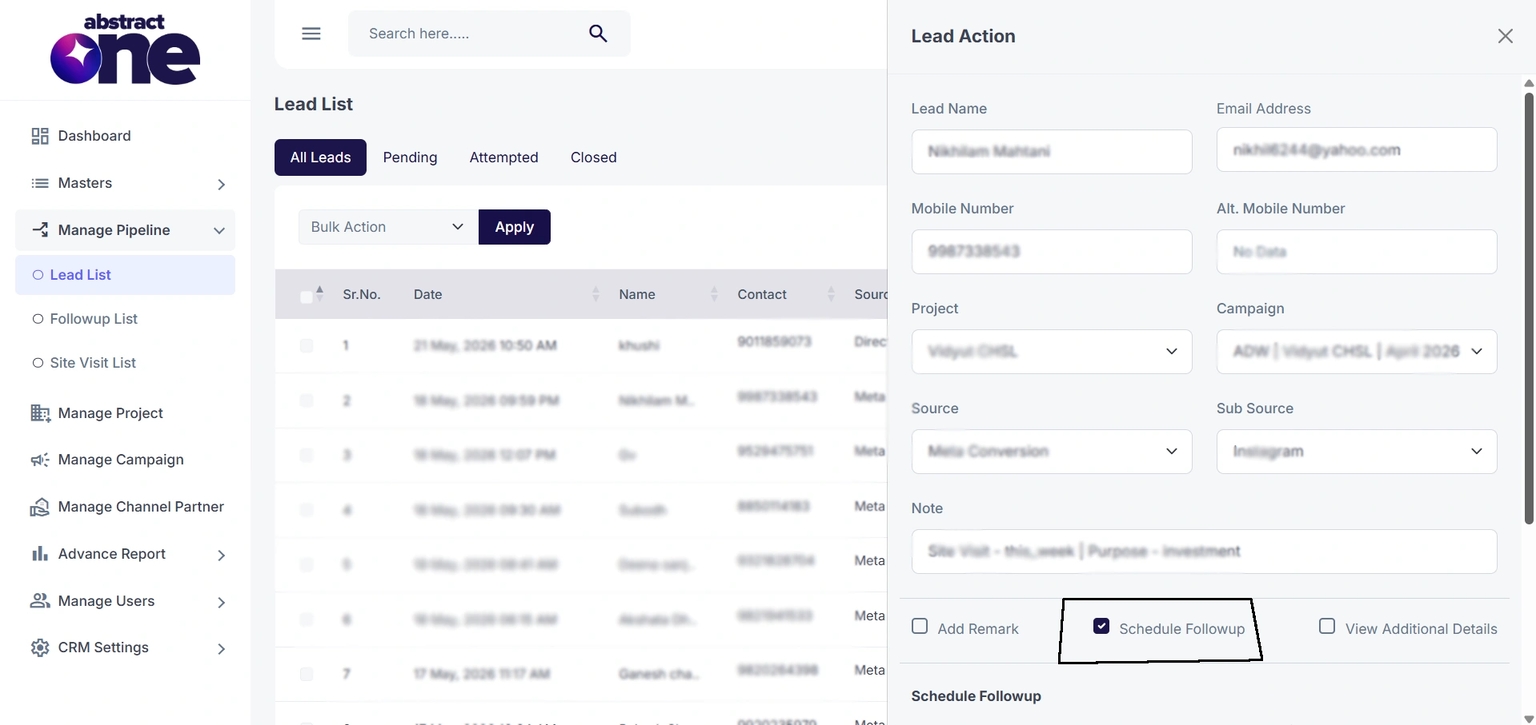
After clicking Take Action, the Lead Action drawer opens.
Inside the drawer:
- Select the checkbox: Schedule Followup
- The Schedule Followup form becomes visible below.
Step 2 — Enter Follow-Up Details
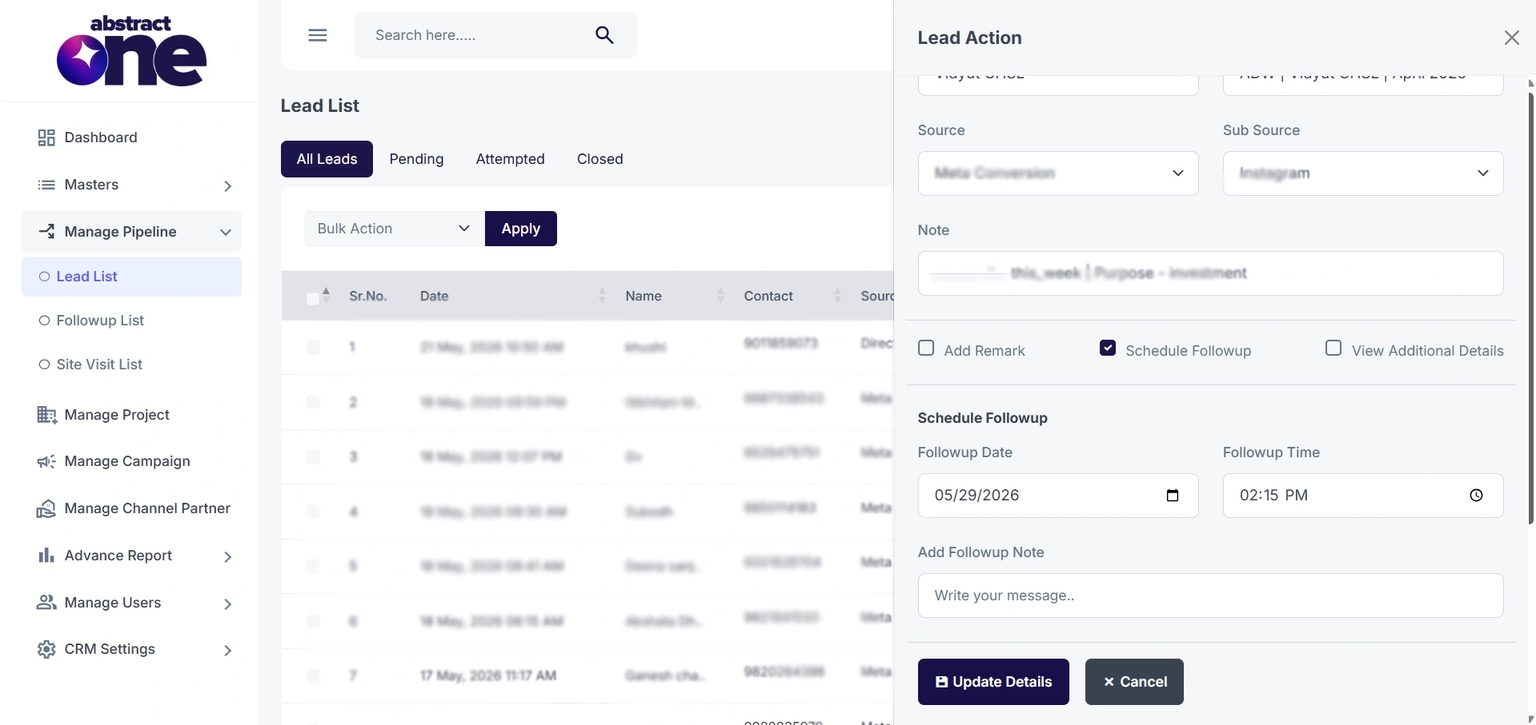
Fill the required follow-up information:
| Field | Description |
|---|---|
| Followup Date | Next action date |
| Followup Time | Reminder time |
| Add Followup Note | Follow-up discussion note |
Example:
Customer requested callback tomorrow afternoon.
Step 3 — Update Details
After entering all details:
- Click Update Details
- The follow-up gets scheduled successfully.
The system automatically creates:
- Reminder task
- Follow-up activity
- Notification schedule
Follow-Up Notifications
At the scheduled date and time, reminders can appear through:
- Desktop popup notifications
- Dashboard follow-up widget
- SMS notifications (if integrated)
- Email notifications
- Mobile app notifications
This helps users take timely action on leads.
View All Follow-Ups
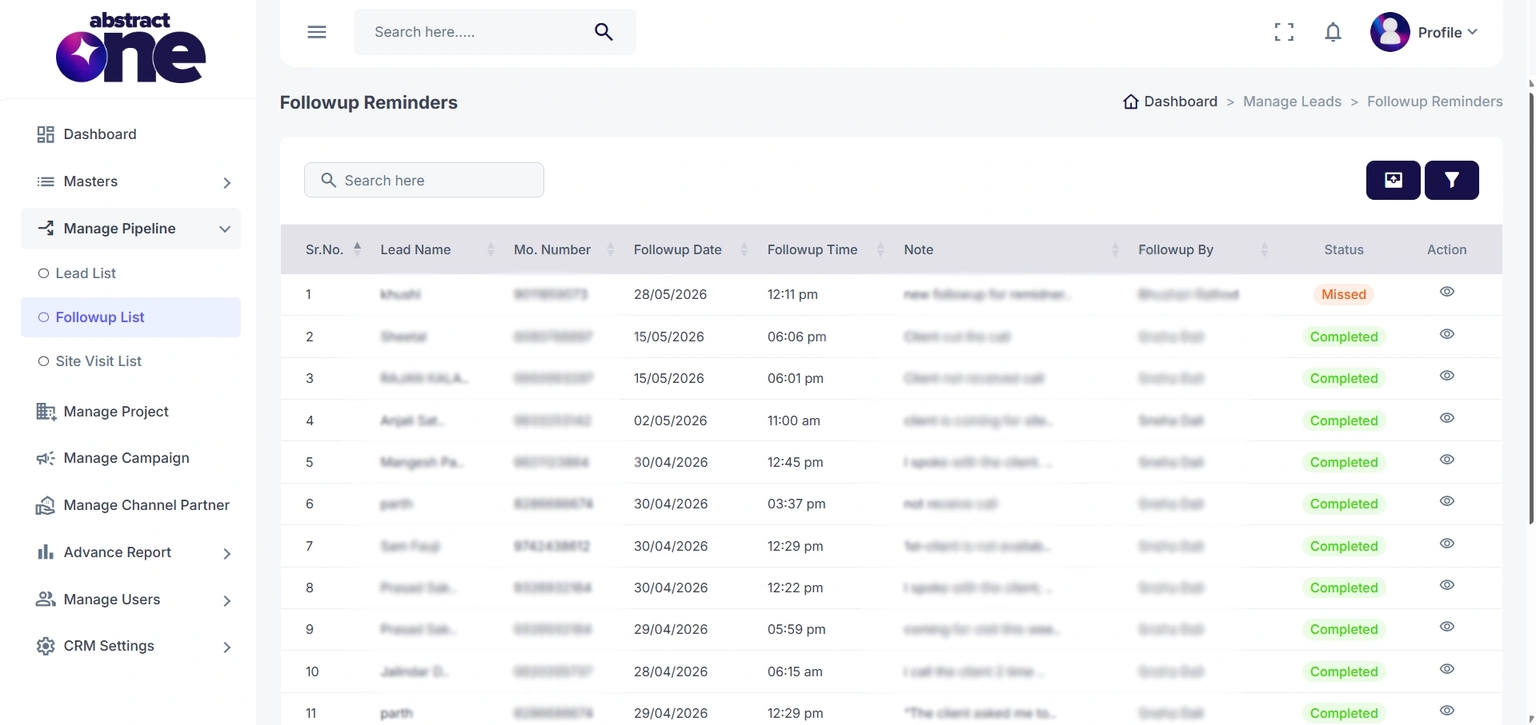
Users can track all scheduled follow-ups from the Followup List page.
Access URL:
https://app.abstractone.in/client/lead/followup
Follow-Up Status Types
Abstract ONE automatically manages follow-up statuses based on follow-up timing and user activity.
- Upcoming: If the follow-up date is scheduled for tomorrow or any future date, the status appears as Upcoming.
- Todays: If the follow-up date is today, the status automatically changes to Todays.
- Missed: If the scheduled follow-up time has already passed and no new remark/activity has been updated on the lead, the status becomes Missed.
- Completed: Once any new remark or activity is updated on the lead after follow-up scheduling, the follow-up status automatically changes to Completed.
Important Notes
- Follow-ups help users manage future lead actions efficiently
- Notifications ensure timely customer communication
- Follow-up statuses update automatically in real time
- Completed follow-ups help maintain accurate lead activity tracking
- Follow-up reminders improve response rate and conversion management