

How to Add Lead
The Add Lead feature in Abstract ONE allows users to manually create and add new leads into the pipeline. This helps sales teams manage inquiries, track customer details, map marketing campaigns, and organize leads efficiently.
After a lead is added successfully, it becomes available inside the Lead Pipeline for further follow-up, site visits, and sales activities.
Access Add Lead
Users can access the Add Lead page using:
https://app.abstractone.in/client/lead/create
Navigation Path In Panel:
Lead List → Add Lead (+)
Steps to Add Lead
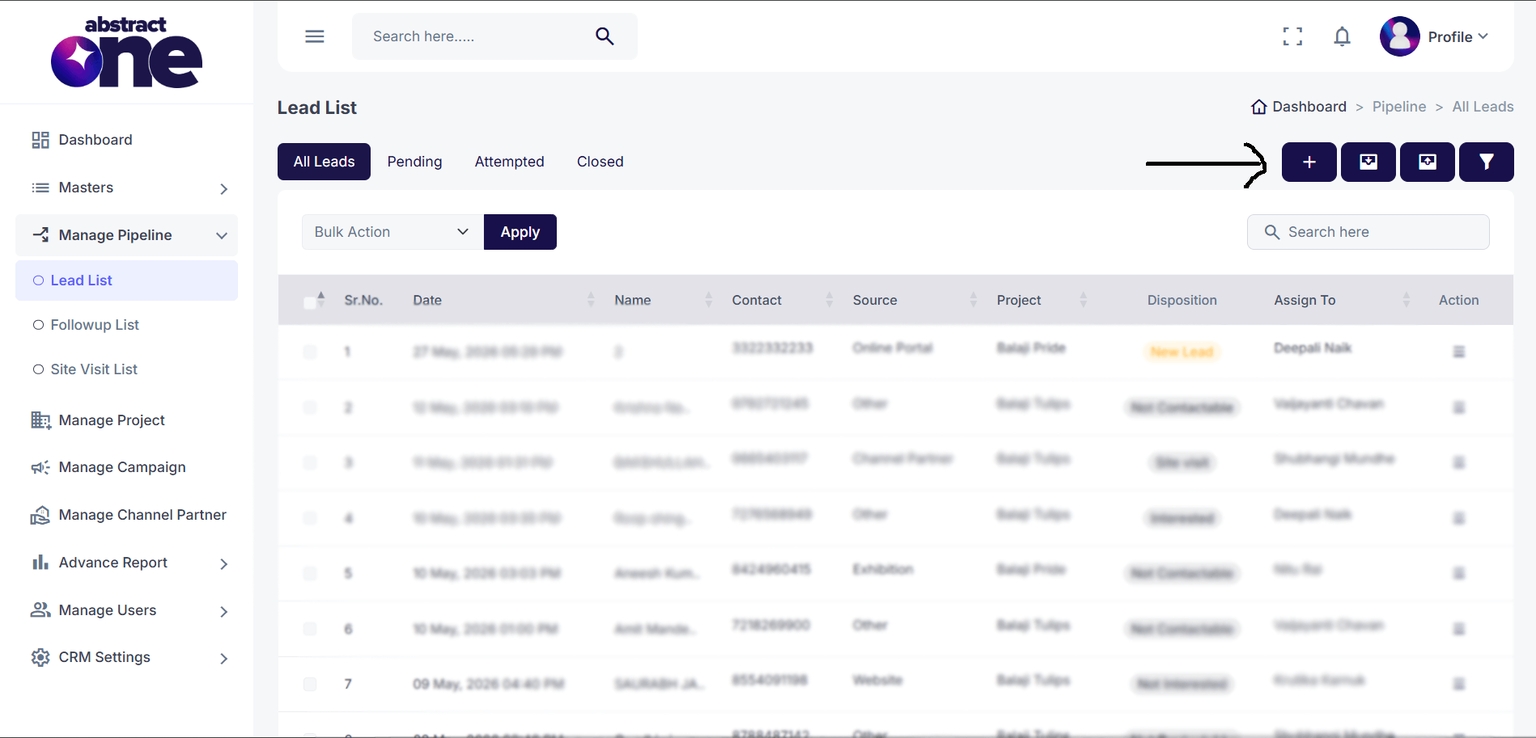
Step 1 — Open Add Lead Page
Open the Add Lead page from the Lead List page using the Add Lead (+) button.
Step 2 — Enter Lead Information
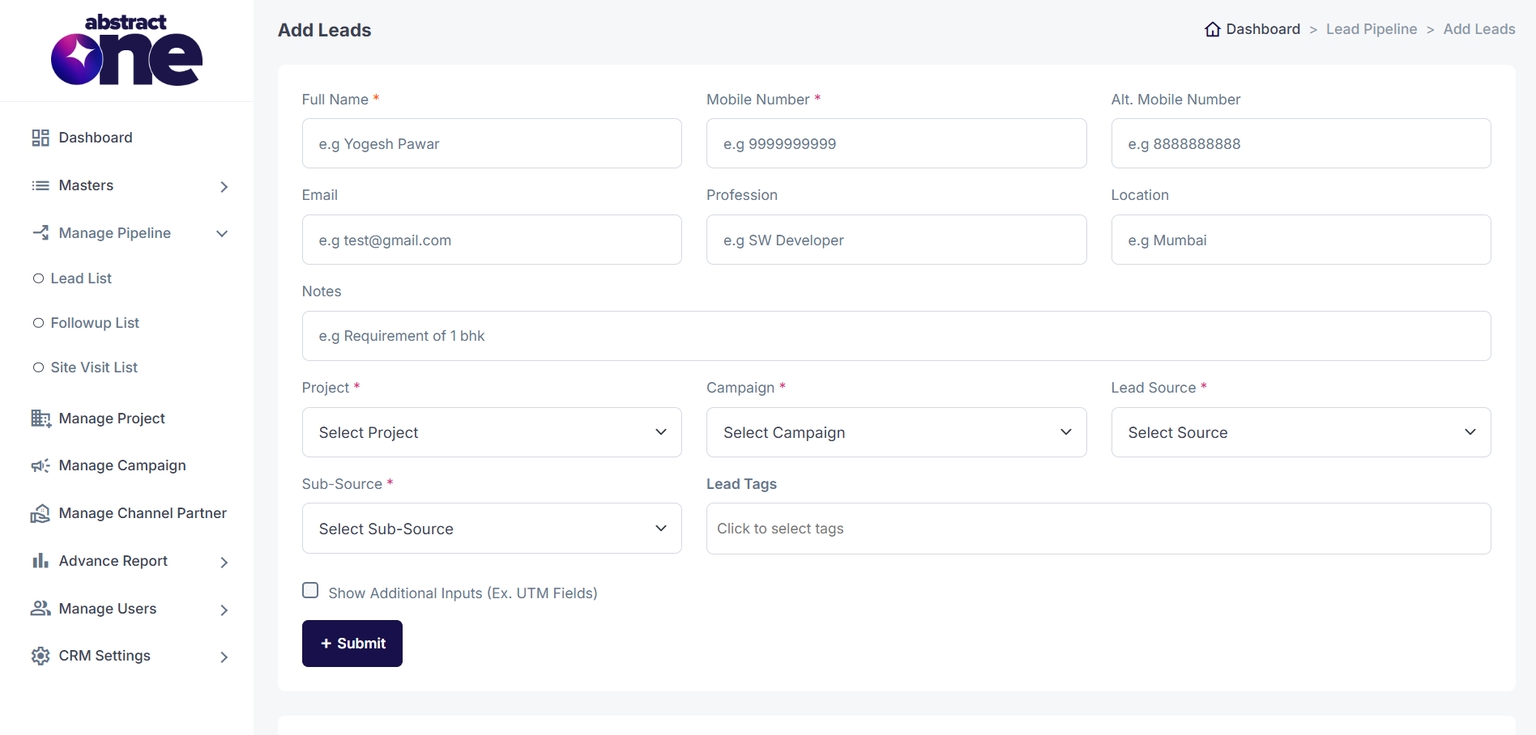
Fill the lead details such as:
- Customer name
- Mobile number
- Project
- Campaign
- Lead source
- Additional notes
Step 3 — Fill Mandatory Fields
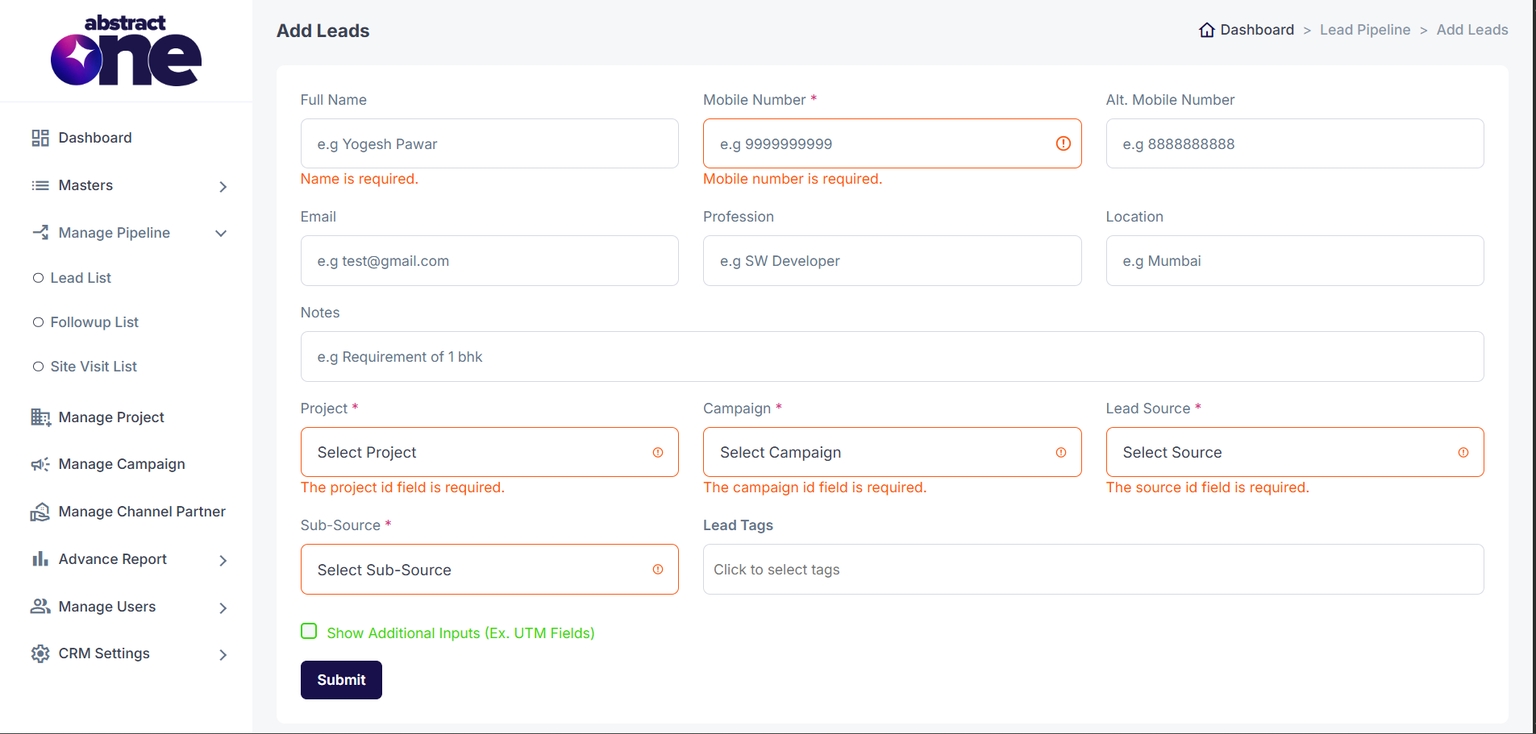
Fields marked with (*) are mandatory.
If any required field is empty:
- Form submission is blocked
- Validation error appears below the respective field
Step 4 — Add Additional Inputs (Optional)
Users can enable additional marketing and tracking fields by selecting:
Show Additional Inputs (Ex. UTM Fields)
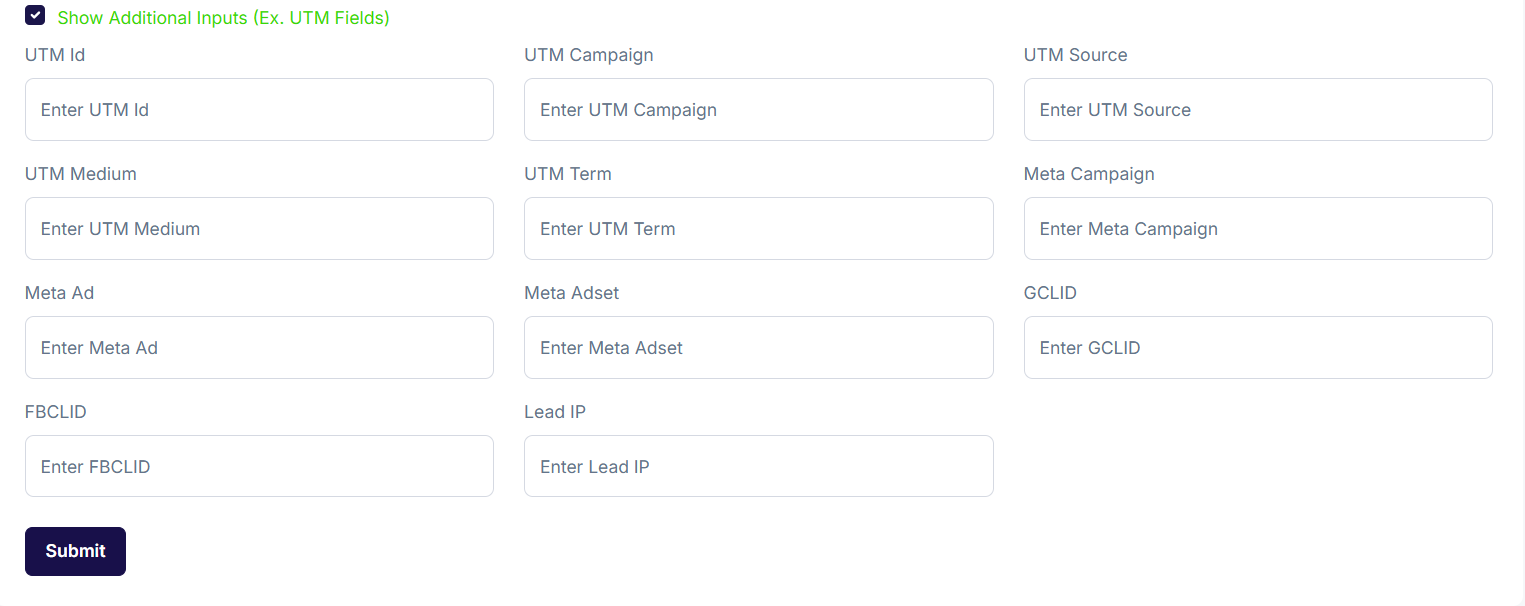
These fields are used for:
- Marketing attribution
- Campaign tracking
- Ad performance analysis
- UTM data management
Step 5 — Submit Lead
After entering all required details:
- Click the Submit button
- The system validates the form
- The lead is added to the pipeline
Success message displayed:
The lead has been added to the pipeline!
After successful submission:
- The form resets automatically
- Lead becomes available in Lead List
- Further follow-up actions can be performed
Lead Information Fields
| Field Name | Example | Description |
|---|---|---|
| Full Name * | Yogesh Pawar | Lead full name |
| Mobile Number * | 9999999999 | Primary contact number |
| Alt. Mobile Number | 8888888888 | Secondary contact number |
| test@gmail.com | Lead email address | |
| Profession | Software Developer | Lead profession |
| Location | Mumbai | City/location |
| Notes | Requirement for 1 BHK | Additional lead notes |
| Project * | Sky Heights | Associated project |
| Campaign * | Summer Campaign | Lead campaign source |
| Lead Source * | Meta Conversions | Primary lead source |
| Sub-Source * | Detailed lead source | |
| Lead Tags | Lead Tags | Lead categorization tags |
Additional Inputs (UTM & Tracking Fields)
| Field Name | Example | Description |
|---|---|---|
| UTM ID | UTM123 | Campaign tracking ID |
| UTM Campaign | summer_campaign | Marketing campaign name |
| UTM Source | Traffic source | |
| UTM Medium | CPC | Marketing medium |
| UTM Term | luxury flats | Campaign keyword |
| Meta Campaign | Mumbai Launch | Meta campaign name |
| Meta Ad | Tower A Ad | Meta advertisement |
| Meta Adset | Investors Audience | Meta adset details |
| GCLID | EAIaIQobGAIaIQobRGIaIQob | Google Ads tracking ID |
| FBCLID | fb.1.12345 | Facebook tracking ID |
| Lead IP | 192.168.1.1 | Lead IP address |