

My Profile
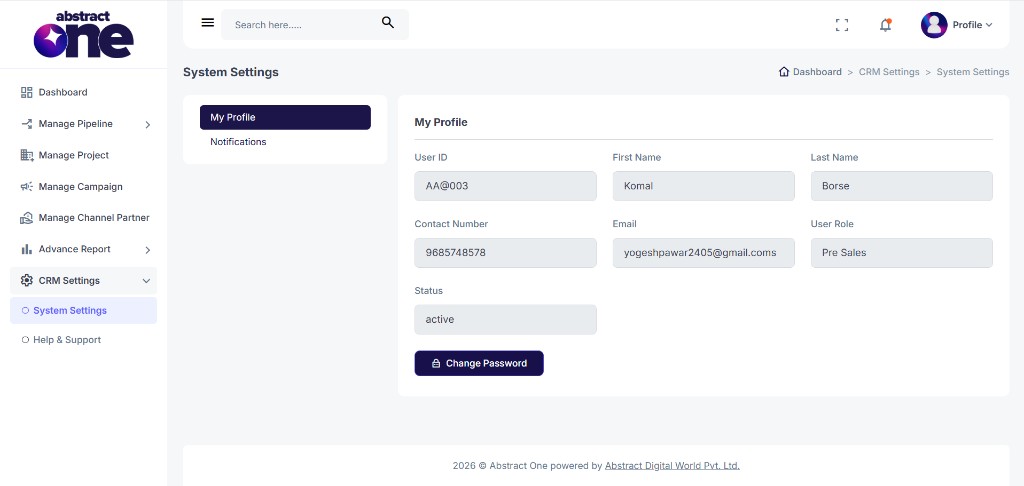
The My Profile page allows you to view your account details and securely change your password using OTP verification. This page is available under System Settings in CRM Settings.
From My Profile, you can:
- View your User ID, name, contact details, role, and status
- Change your password using OTP authorization from the admin
Access My Profile
Go to:
Sidebar → CRM Settings → System Settings → My Profile
The My Profile page opens by default under System Settings. Breadcrumb: Dashboard → CRM Settings → System Settings.
My Profile Details
The profile section displays your account information in read-only fields:
| Field | Description |
|---|---|
| User ID | Unique login ID assigned to your account |
| First Name | Your first name |
| Last Name | Your last name |
| Contact Number | Registered mobile number |
| Registered email address | |
| User Role | Your assigned role (e.g. Pre Sales) |
| Status | Current account status (e.g. active) |
Profile fields are view-only and cannot be edited from this page.
Change Password
To update your password, click Change Password at the bottom of the My Profile page.
An OTP is sent to the admin email for password reset authorization. Contact your admin to receive the OTP before proceeding.
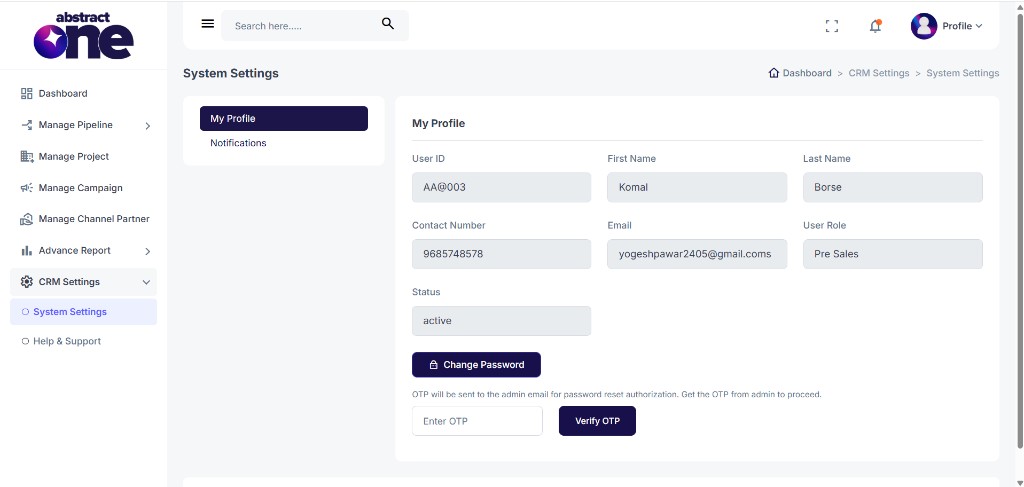
Step 1 — Enter and Verify OTP
Enter the OTP received from the admin and click Verify OTP.
If the OTP is incorrect, the system displays:
“Invalid OTP”
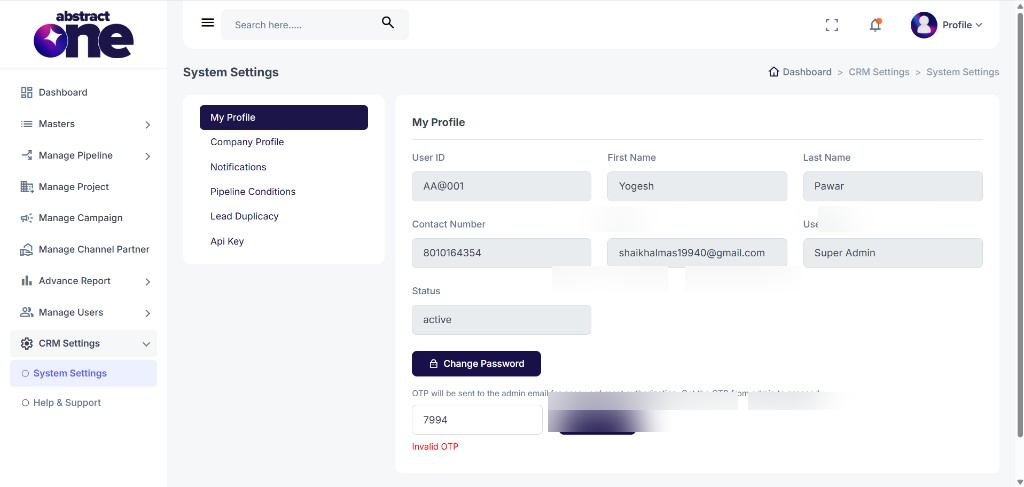
On successful verification, the system displays:
“OTP verified successfully”
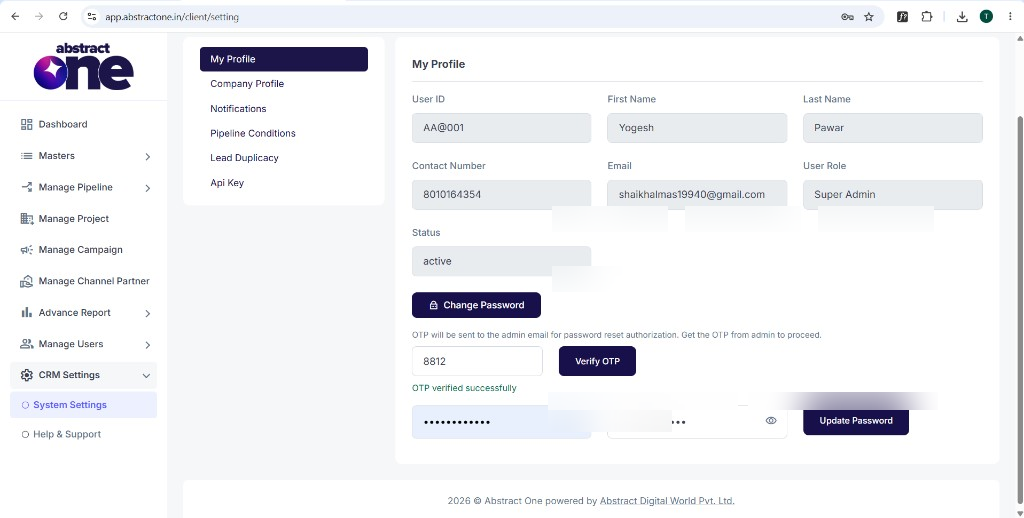
Step 2 — Set New Password
After OTP verification, enter your new password in both fields and use the eye icon to show or hide the password while typing.
If the passwords do not match, the system displays:
“Passwords do not match”
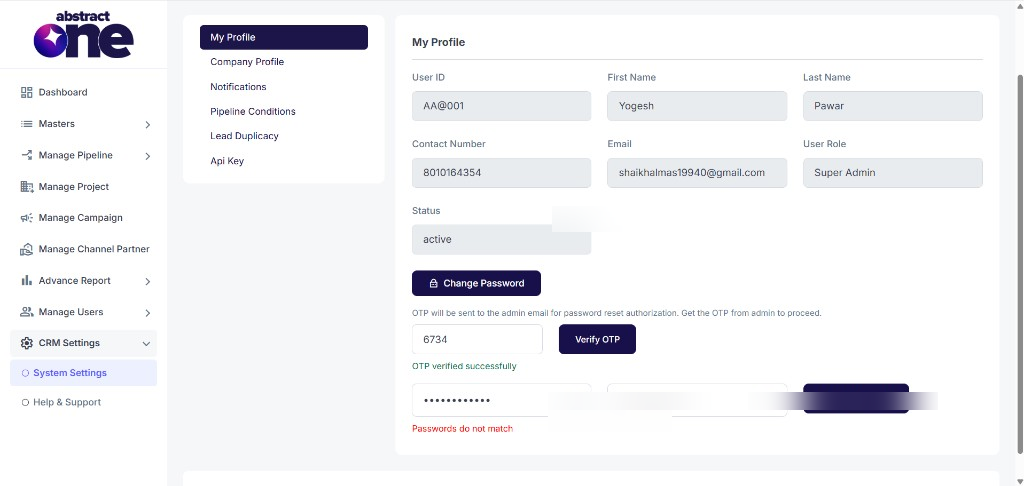
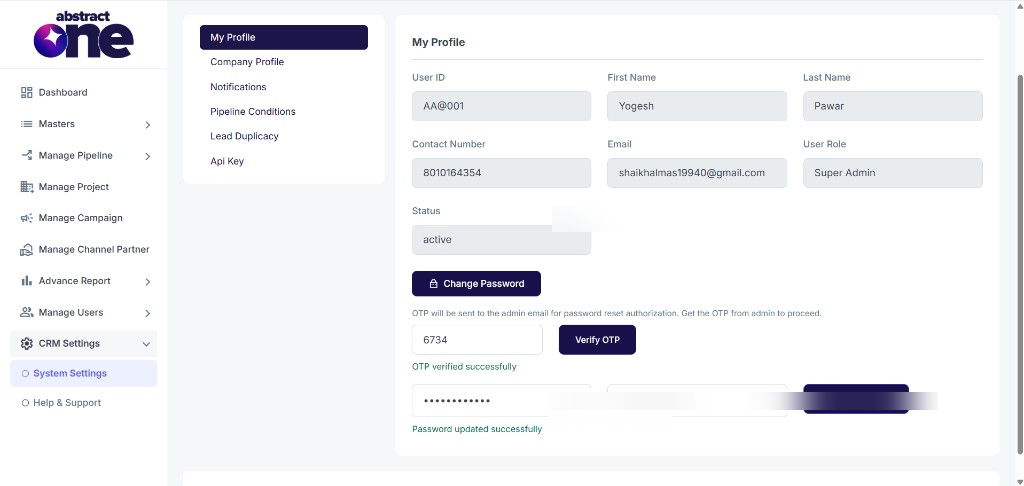
When both passwords match, click Update Password. On success, the system displays:
“Password updated successfully”
Important Notes
- Profile details are read-only and managed by the Superadmin.
- OTP for password change is sent to the admin email — contact your admin to get the OTP.
- Both password fields must match before clicking Update Password.
- You don’t have access to multiple settings under System Settings as they are restricted by the Superadmin. Only My Profile and Notifications are available for web application users.