

Get Project ID
Every Abstract One API request that creates or submits a lead requires a Project ID. This ID tells the CRM which project the lead belongs to, so generated leads can be tracked project-wise inside Abstract One.
Pass the Project ID of the project where you want the lead to be submitted. If you manage multiple projects, make sure you use the correct ID for each integration source.
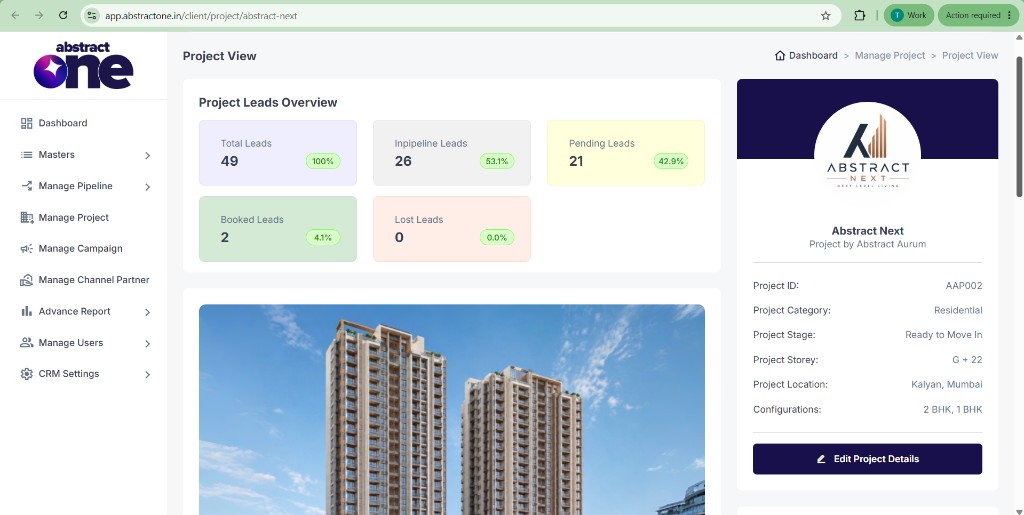
Note: Each project in your CRM has a unique Project ID (for example, AAP002). Use the ID shown on the project details page — do not guess or reuse IDs across different projects unless the integration is intentionally shared.
How to find your Project ID
Follow these steps to locate the Project ID for any project in your Abstract One CRM account.
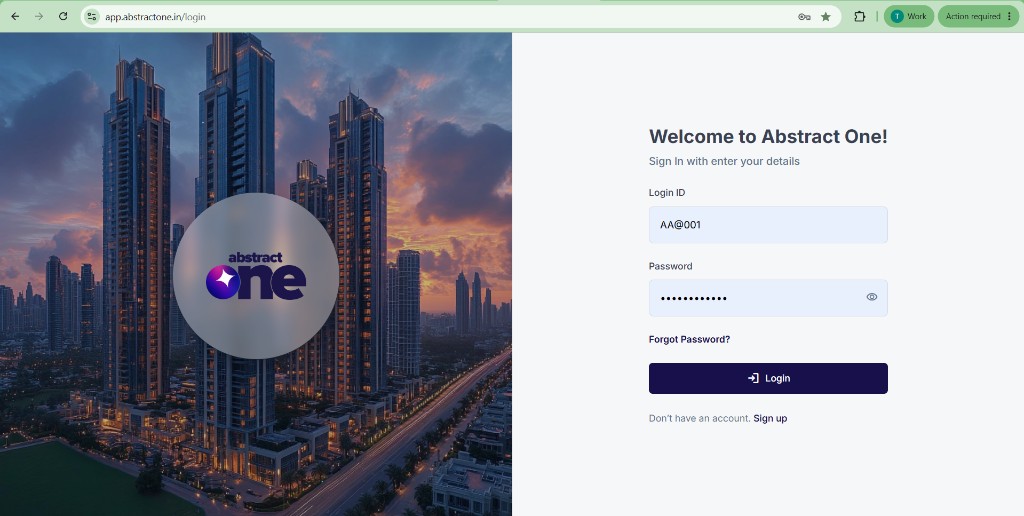
Step 1 — Log in with Super Admin credentials
Open the Abstract One CRM login page and sign in using your Super Admin credentials.
https://app.abstractone.in/login
Step 2 — Open the project list
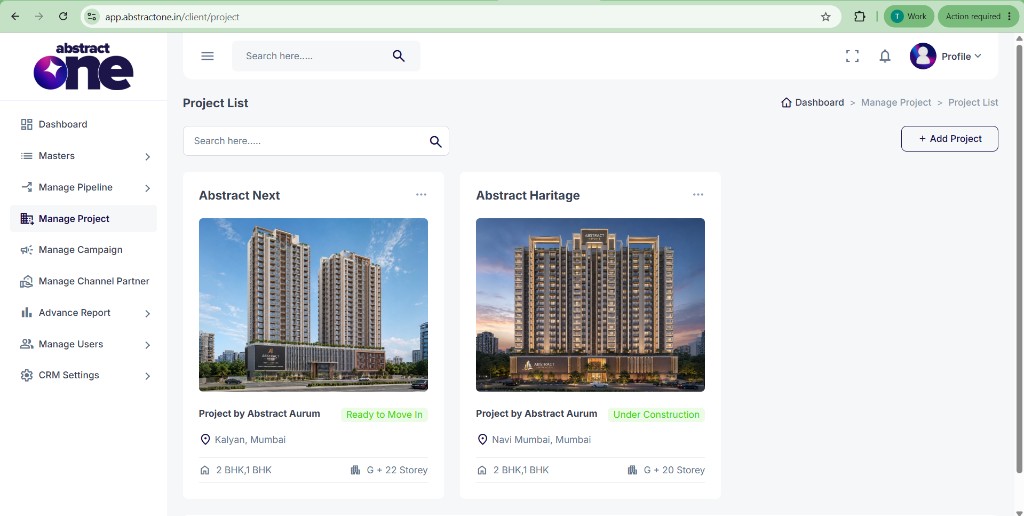
From the left sidebar, go to Manage Project to open the project list. Click the project for which you need the Project ID.
Step 3 — Copy the Project ID from project details
After selecting a project, you will be redirected to the project details page. On the right-side card, the Project ID for that project is displayed (for example, AAP002).
Use the Project ID in your API requests
Include the Project ID in every lead submission request so the lead is mapped to the correct project in CRM:
project_id: AAP002Combine this with your API key (x-api-key header) and other required fields as defined in the integration guide for your platform.